Accounting Software for Small Business in Excel: All You Need to Know

Search for Accounting Software for Small Business in Excel and you’ll quickly find an article written by someone who sells the QuickBooks software.
Or Xero, FreshBooks, or a bookkeeping service that runs on one of them.
The conclusion is always the same: switch to dedicated software, because spreadsheets are risky and outdated, and you’ll regret it at tax time.
But for a sole proprietor with one bank account, one credit card, and 30 transactions a month, accounting software for small business at $38/month is $456 a year to solve a problem a spreadsheet handles in 15 minutes a week.
This post starts from the other direction. Excel can work as accounting software for small business. The IRS doesn’t care what tool you use. But spreadsheets have real limits, and knowing where those limits sit matters more than which template you download.
Quick Takeaways
- The IRS says you can use “any recordkeeping system suited to your business” — Excel qualifies
- Field audits find errors in roughly 86–91% of operational spreadsheets (Ray Panko, University of Hawaii)
- Excel works well for sole proprietors with under ~50 transactions per month, one bank account, and no inventory
- Tiller Money ($79/year) adds automatic bank feeds to Excel and Google Sheets — the biggest gap solved cheaply
- The switch trigger to dedicated accounting software for small business isn’t revenue. It’s complexity: employees, inventory, sales tax, or 1099 obligations.
Can You Use Excel as Accounting Software for Small Business?
Yes. IRS Publication 583 says you can “choose any recordkeeping system suited to your business that clearly shows your income and expenses.” A well-maintained Excel spreadsheet meets that standard. So does a Google Sheet, a paper ledger, or a shoebox full of receipts. Though, I wouldn’t recommend the shoebox.
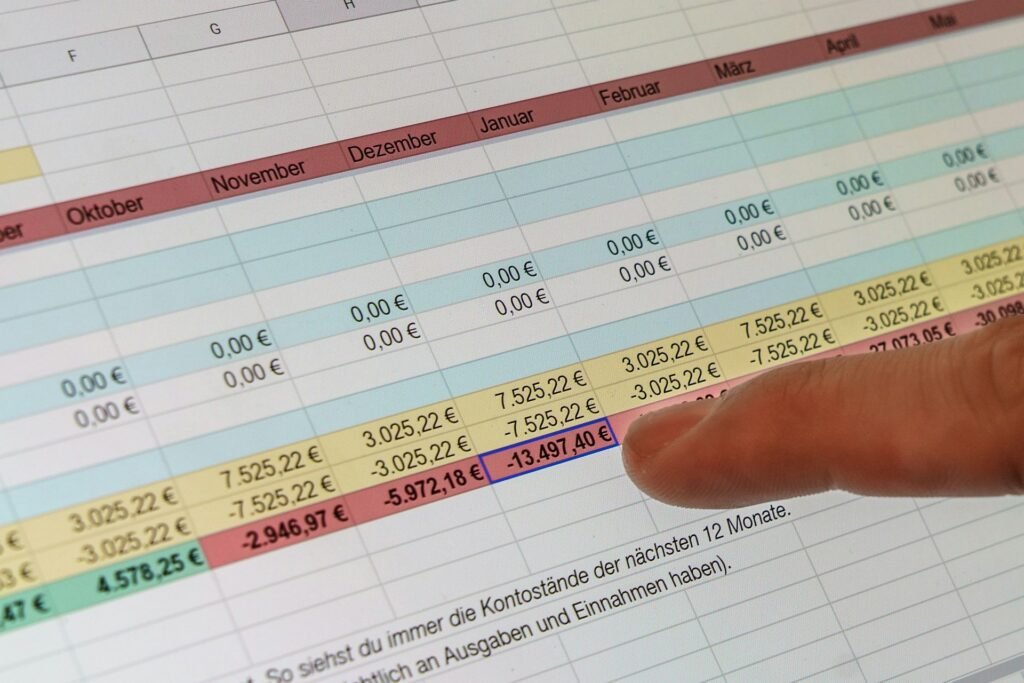
For a typical sole proprietor filing Schedule C on a cash basis, Excel handles the core workflow surprisingly well.
You can build income and expense tracking with category drop-downs mapped to Schedule C lines, run single-entry profit-and-loss reports using SUMIF formulas or PivotTables, and create professional invoices using Microsoft’s free templates with auto-calculating subtotals and tax.
Receipt logging works with a simple date/vendor/amount/category/method structure.
IRS-compliant mileage tracking needs date, miles, destination, and business purpose recorded at or near the time of travel. Cash-flow projections and basic budgeting round it out.
The important qualifier: all of this works because most sole proprietors use single-entry, cash-basis bookkeeping, which is exactly what Excel is suited for.
It doesn’t enforce double-entry by default, and that’s fine if you don’t need a formal balance sheet.
Where Excel starts to strain is bank reconciliation, automatic categorization, and anything involving more than one person touching the books — but for a solo freelancer with straightforward income and expenses, it does the job.
Where Does Excel Break Down as Accounting Software for Small Businesses?
No automatic bank feeds, no audit trail, no built-in error protection, and no way to generate 1099s or handle multi-state sales tax. For a sole proprietor with simple books, those gaps are manageable. For anyone with employees, inventory, or sales tax obligations across states, they’re deal-breakers.
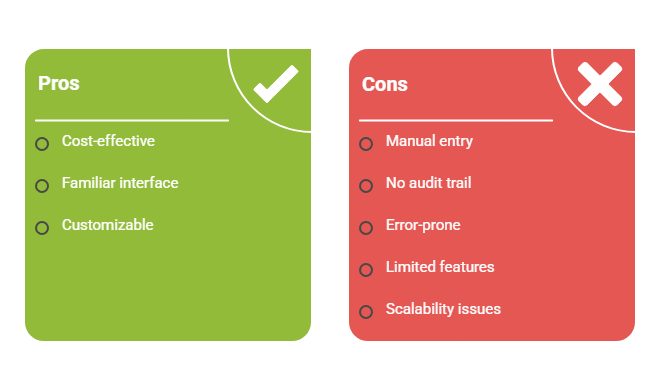
Because you’re handling most things manually in Excel, such as putting in figures, formulas, and all the data and set up, you’re very much at an increased risk of error. Especially compared to an automated tool that brings everything in as is.
Why Spreadsheet Errors Are More Common Than Most People Think
University of Hawaii professor Ray Panko has been studying spreadsheet errors since the late 1990s.
Across multiple field audits, roughly 86–91% of operational spreadsheets contained errors, with formula-cell error rates running 1–5%. That finding has held up across more than two decades of research.
But this isn’t just a hypothetical risk.
JPMorgan’s “London Whale” loss ($6.2 billion, 2012) was traced partly to a spreadsheet model that divided by a sum instead of an average.
Public Health England lost 15,841 COVID case records in October 2020 because data was saved in the older .xls format, which caps at 65,536 rows.
TransAlta, a Canadian power company, lost roughly $24 million from a cut-and-paste row-misalignment error in 2003.
Your freelance P&L isn’t a billion-dollar risk model, but the underlying problem scales down perfectly well: Excel doesn’t warn you when a formula breaks because you inserted a row above a SUM range. You find out in April.
The other gaps are more pedestrian but just as real.
Every transaction is manual entry or CSV import. No automatic bank feeds. Standard Excel doesn’t log who changed what or when, so there’s no audit trail.
You can’t generate 1099-NEC forms or e-file them (the IRS lowered the e-file threshold to 10 aggregated information returns in 2024).
Automated sales tax calculations across jurisdictions don’t exist. And version control is whatever discipline you bring to it. “Books_FINAL_v3_actually_final.xlsx” is a real phenomenon.
Should You Stay in Excel or Switch to Accounting Software for Small Business?
If you’re a sole proprietor on cash basis with fewer than 50 transactions a month, one bank account, no inventory, no employees, and no multi-state sales tax, Excel isn’t a stepping stone. It’s the right tool. If any of those conditions change, it’s time to switch.

Look online and you’ll see so many posts and guides trying to sell you subscriptions to tools stating that Excel is bad, isn’t enough, or why bother starting because you’ll outgrow it at some point.
Might as well start paying out and get it right at the beginning, right?
Fair, but there’s a line worth thinking about.
Excel is enough if all of these apply.
- You’re a sole proprietor or single-member LLC filing on cash basis.
- You run under ~50 transactions per month.
- You have one business bank account and one business credit card.
- No inventory.
- You have no W-2 employees.
- No contractors paid above the 1099-NEC reporting threshold ($2,000 for payments made in 2026 under the One Big Beautiful Bill Act, up from $600 for 2025 payments).
- No sales tax collection obligations.
- You’re not applying for a business loan or outside investment.
- You’re disciplined about reconciling your books monthly.
Switch to dedicated software if any of these apply.
- You’ve incorporated as an S-corp or C-corp (Form 1120/1120-S requires a balance sheet, and Excel isn’t built for that).
- You carry inventory (IRS rules generally require accrual-basis accounting).
- You collect sales tax in any state, especially if you’ve triggered economic nexus in multiple states post-Wayfair.
- You’ve hired W-2 employees and need payroll to integrate with your books.
- You’re paying contractors who’ll need 1099s.
- You’re applying for a loan (underwriters expect software-generated financial statements).
- Your CPA has asked you to switch. They’ll charge more to clean up Excel files, or refuse entirely.
- You’re spending more than 2–3 hours a month on bookkeeping mechanics.
SCORE.org explicitly recommends moving off spreadsheets, calling manual data entry “so old school.” That’s a fair position for businesses that are growing. But “old school” and “wrong” aren’t the same thing.
For the freelancer profile described above, the spreadsheet works. Spending $456 a year on accounting software for small business to track 30 transactions a month is solving a problem you don’t have.
What Are the Best Free Excel Accounting Templates?
Microsoft’s own template gallery, Vertex42, SCORE.org, and Smartsheet all offer free, reputable templates. Skip the generic Etsy bundles unless you’ve verified they map to Schedule C categories.
Microsoft Create is first-party and free, no signup.
Clean invoice templates, basic expense trackers, budget planners. Good for individual reports, but not a unified bookkeeping system. You’ll be working across separate files.
Vertex42 has been the most respected template site online for over 20 years. Income statement, balance sheet, cash flow, P&L projection, invoice, expense tracker, depreciation calculator, break-even analysis. Everything works in both Excel and Google Sheets.
SCORE.org offers a financial projections template built partly through an SBA cooperative agreement. Locked formulas (the unlock code is “1234”), available in English and Spanish. Best for pre-launch planning and loan applications, not daily bookkeeping.
Smartsheet hosts the largest free library, with roughly 23 templates, including cash book, general ledger, balance sheet with ratios, A/R, A/P, mileage, inventory, and payroll register. No signup required.
But most solo freelancers actually need something simpler: a single Excel Table (Ctrl+T) with five columns:
- Date
- Description
- Category (drop-down mapped to Schedule C Part II lines 8–27)
- Income
- Expense — plus a monthly SUMIF summary tab.
And it’s all you need to keep track of invoices reliably, built in just ten minutes.
A bloated 12-tab template designed for a business with inventory and payroll will create more confusion than it solves. Match the tool to the job.
Paid Excel-based accounting software for small business (SimplePlanning at $59.95, XcelBooks, Profitworks) exists and ranks in search results. They’re elaborate template packages.
Nobody is independently reviewing them, which should tell you something about the category.
If you’re looking for something between a template and full cloud software, our guide to desktop accounting software without a subscription covers the options that still exist.
Can You Connect Excel to Your Bank Account?
Yes, but not natively. Tiller Money ($79/year) connects over 21,000 US banks and credit cards directly into Excel or Google Sheets with daily automatic updates and auto-categorization. It’s the closest thing to giving a spreadsheet real bank feeds.
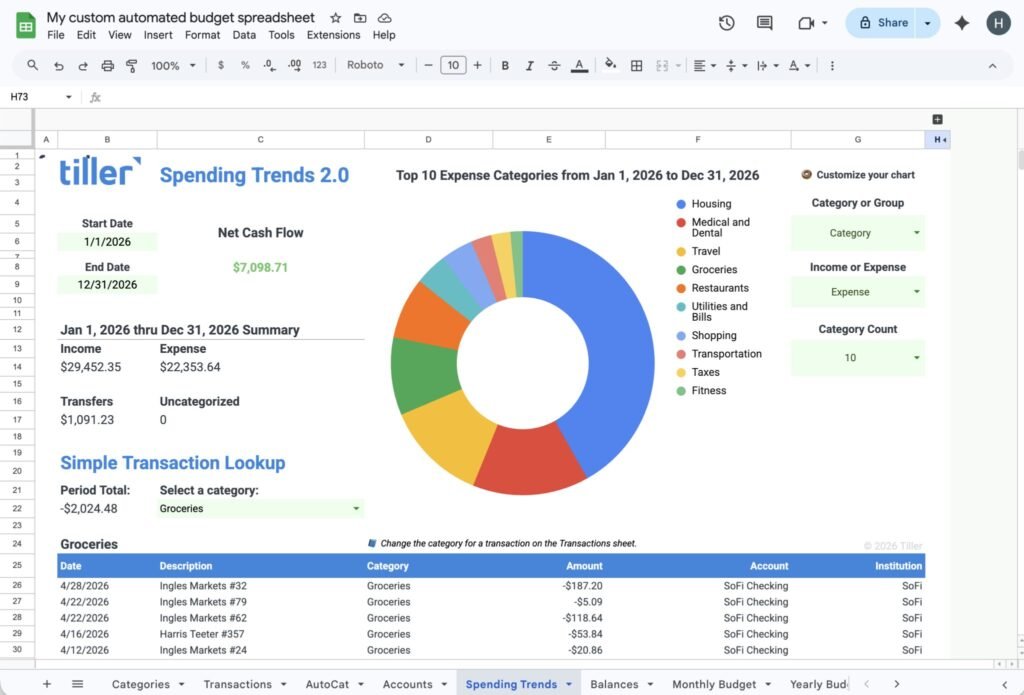
Tiller is the standout bridge tool for spreadsheet-based bookkeeping. One subscription covers both Excel and Sheets.
It pulls transactions daily, learns your categorization rules over time through its AutoCat feature, and includes pre-built budget and tracking templates.
At $79/year versus QuickBooks Online Simple Start at $456/year, it eliminates the single biggest complaint about doing your books in a spreadsheet (manual data entry) for a fraction of the cost.
Power Query (free, built into Microsoft 365 Excel) is the other tool worth knowing about. It can import and transform CSV bank statements automatically, and Power Pivot’s columnar engine handles datasets far beyond Excel’s standard 1,048,576-row sheet limit.
It’s not real-time bank feeds, but for monthly reconciliation, it’s powerful.
Wave Connect is a free Google Sheets add-on that lets you bulk import and export Wave accounting data into Sheets. Useful if you’re running Wave as your primary tool but want to do custom analysis in a spreadsheet.
Does Google Sheets Work Better Than Excel for Bookkeeping?
Google Sheets is free, collaboration is better, and Tiller works with it. Excel handles bigger datasets and has Power Query. For a freelancer with under 50 transactions a month, the difference is negligible — use whichever you already have open.
Sheets is free with any Google account, real-time collaboration is best-in-class, and it works on any device with a browser.
It caps at 10 million cells per workbook (practically, that means performance slows above 50,000–100,000 rows, which is years of freelance transactions). Most Excel accounting templates work in Sheets with minor formula adjustments.
Excel requires a Microsoft 365 subscription ($6–$12.50/user/month for business plans) but handles larger datasets, supports VBA macros and Power Query, and produces the .xlsx files most CPAs prefer. If your accountant asks you to email them your books, they’re expecting an Excel file.
For a freelancer doing weekly bookkeeping with a handful of transactions, pick whichever you already know. The tool matters less than the habit.
The Spreadsheet Is Fine Until It Isn’t
Excel isn’t a compromise for small business accounting. For a sole proprietor with simple, cash-basis books, it’s a legitimate tool that the IRS accepts, that costs nothing (or $79/year with Tiller bank feeds), and that you already know how to use.
The trick is knowing the boundary. When you incorporate, hire employees, carry inventory, or start collecting sales tax across states, that’s the line. Cross it, and the time you’ll spend fighting formula errors and manually importing bank statements will cost more than the software subscription you were trying to avoid.
If you’ve hit that line, our full guide to accounting software for freelancers covers every major option side by side.
And if you want free accounting software for small business that’s more structured than a spreadsheet, our open source QuickBooks alternatives guide covers GnuCash, Manager.io, and several others.
Frequently Asked Questions
Can I use Excel for my small business accounting?
Yes. The IRS allows businesses to use any recordkeeping system that accurately tracks income and expenses, and Excel meets that requirement. For sole proprietors with simple, cash-basis bookkeeping, a spreadsheet can handle income tracking, expense categorization, invoicing, and basic financial reporting.
What is the simplest accounting software for a small business?
For most freelancers and sole proprietors, Wave is one of the simplest accounting tools because it combines invoicing, expense tracking, and reporting in a beginner-friendly interface. If you prefer a desktop solution, Manager.io offers a relatively gentle learning curve compared to traditional accounting software.
Can I use Excel instead of QuickBooks?
Yes. For many freelancers Excel can be a real alternative to QuickBooks, especially when they have fewer than 50 transactions per month, one bank account, and no employees or inventory. However, Excel lacks automatic bank feeds, built-in reconciliation, audit trails, and tax features, which become more valuable as the business grows.
When should I stop using Excel for bookkeeping?
Consider switching to dedicated accounting software when you hire employees, start collecting sales tax, carry inventory, need to issue 1099s, or spend more than a few hours each month maintaining your spreadsheets. Complexity, not revenue, is usually the trigger for upgrading.
What’s better for small business accounting: Excel or accounting software?
Neither is universally better. Excel is inexpensive, flexible, and works well for simple businesses. Accounting software automates data entry, bank reconciliation, reporting, and compliance tasks. If your bookkeeping needs are straightforward, Excel may be all you need. For a detailed comparison, see our guide to accounting software for freelancers.