How to find Desktop Accounting Software Without Subscription

For freelancers hunting for desktop accounting software without subscription fees that they can buy once and own forever, price stings.
QuickBooks Online Simple Start costs $38 a month now. Intuit hiked QuickBooks Desktop prices 15–20% on February 1, 2026.
And three days after Christmas 2024, Bench Accounting shut down without warning, stranding thousands of small businesses with no access to their own financial data right before tax season.
The appeal of desktop accounting software without subscription you can buy once and own forever makes complete sense.
The problem is that most of the desktop accounting software people remember buying outright doesn’t exist in that form anymore.
QuickBooks Desktop stopped selling to new US customers in September 2024. Sage 50 killed its perpetual license in 2023. AccountEdge went subscription-only in 2024. And half the buying guides ranking on Google right now haven’t caught up.
They’re still recommending desktop accounting software you can’t actually buy.
This guide has.
Quick Takeaways
- QuickBooks Desktop Pro/Premier/Mac stopped selling to new US customers on September 30, 2024 — QBDT 2024 is the final release
- Sage 50 and AccountEdge both moved to subscription-only models — despite what many review sites still claim
- Six genuinely subscription-free options remain: GnuCash, Manager.io, MoneyWorks, Frappe Books, Bookkeeper, and NCH Express Accounts
- QuickBooks Desktop Pro Plus at $1,149/year now costs more over five years ($5,745) than QuickBooks Online Simple Start
- The most practical setup for many freelancers: free Wave for invoicing and bank feeds, plus GnuCash or Manager.io for the books — $0 total
Is QuickBooks Desktop Accounting Software Still Available Without a Subscription?
No. Intuit stopped selling QuickBooks Desktop Pro Plus, Premier Plus, and Mac Plus to new US customers on September 30, 2024. If you’re already a subscriber you can renew for now, but QuickBooks Desktop 2024 is the final numbered release, and it loses support on September 30, 2027.

For reference;
- QBDT 2023 support ends May 31, 2026.
- QBDT 2024 support ends September 30, 2027
After that, no more security patches, no bank feed connections, no payroll updates. Your data file still opens, but the software is frozen in place.
The pricing hasn’t helped either.
Pro Plus went from $999 to $1,149/year in February 2026.
Premier Plus jumped from $1,399 to $1,609.
These are annual subscription renewals, not one-time purchases. QuickBooks Desktop Enterprise is still sold to new customers, but it starts at roughly $1,873/year for Silver.
Truth is, QuickBooks is now firmly a subscription product.
You’ll find grey-market resellers offering older perpetual QuickBooks Desktop licenses (pre-2018 versions) for around $199. They’ll work. Sort of. No current bank feeds, no payroll updates, no security patches, and tax tables that haven’t been current for years.
It’s functional abandonware. Fine for viewing old company files, but not something to build a business on in 2026.
Which Desktop Accounting Software Can You Actually Buy Outright in 2026?
Six options are genuinely subscription-free for US freelancers and small businesses: GnuCash, Manager.io, MoneyWorks, Frappe Books, Bookkeeper, and NCH Express Accounts. Each one involves trade-offs the marketing pages won’t mention.
| Tool | Price | Platform | Best For | Link |
| GnuCash | Free | Win, Mac, Linux | Accounting-literate freelancers, manual workflow | Visit → |
| Manager.io | Free | Win, Mac, Linux | Solo freelancers wanting a clean, modern interface | Visit → |
| MoneyWorks | From $249 | macOS, Windows | Small businesses wanting paid software they own | Visit → |
| Frappe Books | Free | Win, Mac, Linux | Modern UI, no bank integration needed | Visit → |
| Bookkeeper 2026 | ~$40 | Windows only | Budget-conscious, straightforward books | Visit → |
| NCH Express Accounts | Free (<5 employees) | Win, Mac | Micro-businesses, simple functional bookkeeping | Visit → |
GnuCash
- Price: Free, open source
- Platforms: Windows, Mac, Linux
- Best for: Accounting-literate freelancers who don’t mind a manual workflow
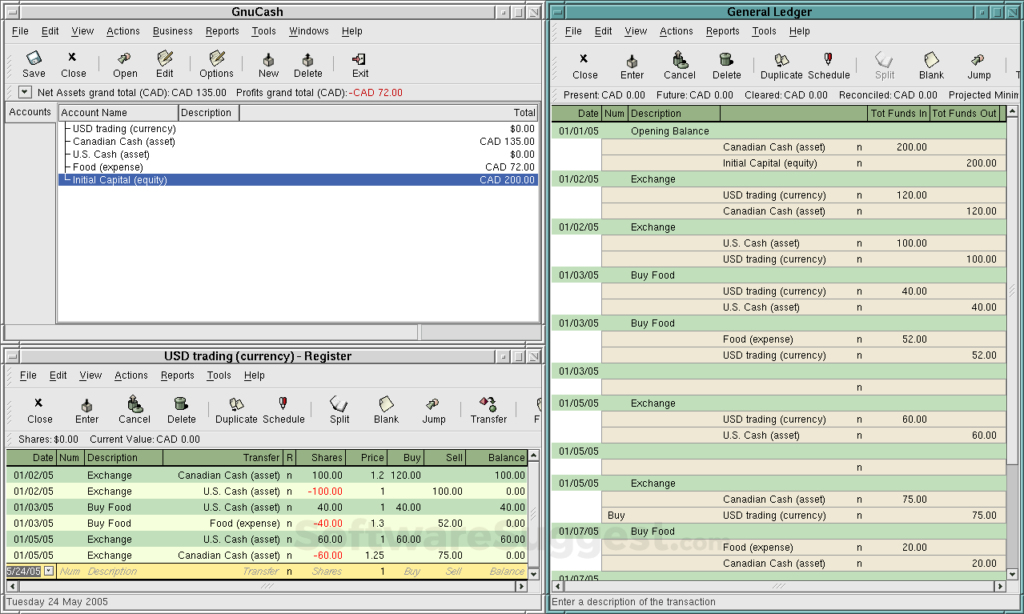
GnuCash does real double-entry accounting and has been around for over 25 years. The learning curve is steep: the interface looks like it was designed in the early 2000s (because it was), and there’s no main menu in the traditional sense. Invoicing works but is bare-bones.
Bank feeds are the biggest gap — GnuCash’s own wiki acknowledges that OFX Direct Connect is essentially defunct in the US as of 2024. You’ll be downloading CSV or OFX files from your bank and importing them manually.
Manager.io Desktop
- Price: Free (desktop version)
- Platforms: Windows, Mac, Linux
- Best for: Solo freelancers who want a clean, modern interface without paying anything
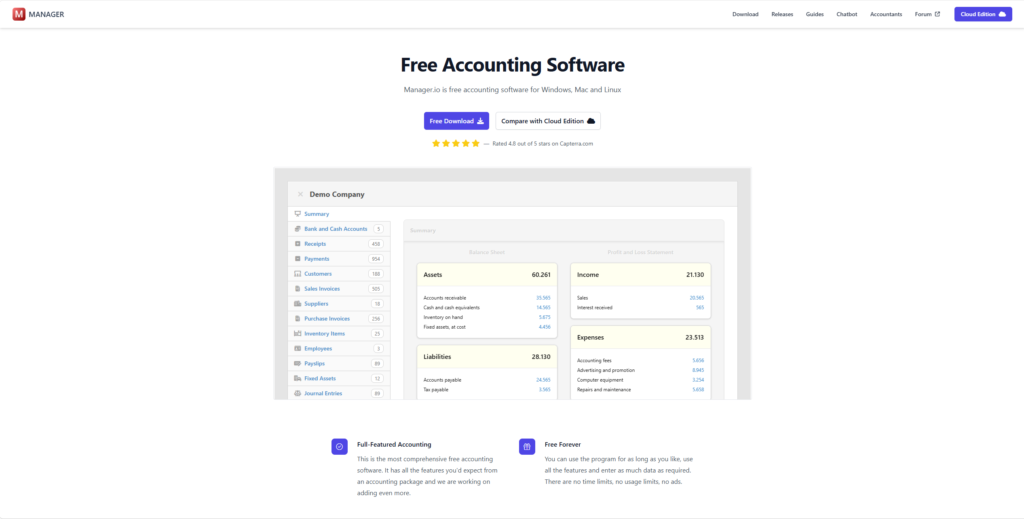
Manager.io is the visual opposite of GnuCash. Clean interface, intuitive layout, very active development (version 26.4.20 as of April 2026).
No built-in bank feeds or US payroll, but the invoicing is surprisingly capable for a free tool. The optional cloud version runs $19/month if you want online access later.
MoneyWorks (Cognito Software)
- Price: Perpetual license from $249 (MoneyWorks Express) or monthly subscription
- Platforms: macOS (Apple Silicon native), Windows
- Best for: Small businesses that want paid software they actually own, with room to grow
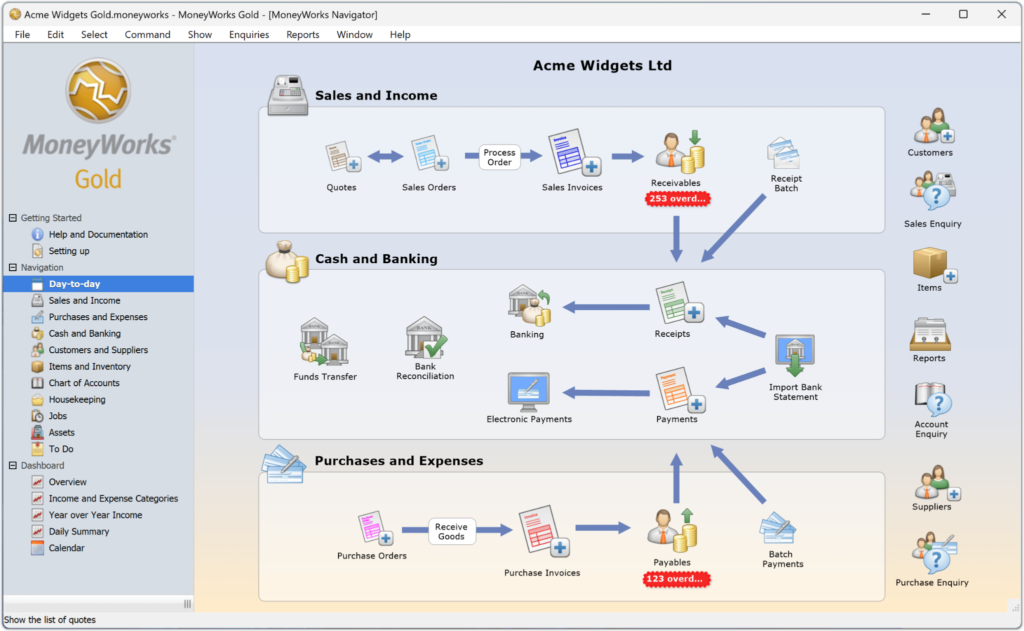
MoneyWorks is the strongest paid option in this category. It offers both a perpetual license (first year of updates included, optional low-cost annual maintenance after that) and a monthly subscription. Your choice.
It runs natively on macOS and Windows, works offline, and supports US sales tax. No built-in US payroll. The main caveat: Cognito is based in New Zealand, so support means contacting them during NZ business hours or finding a local reseller.
Frappe Books
- Price: Free, open source (AGPL licensed)
- Platforms: Windows, Mac, Linux
- Best for: Freelancers who want something modern-looking and don’t need bank integration
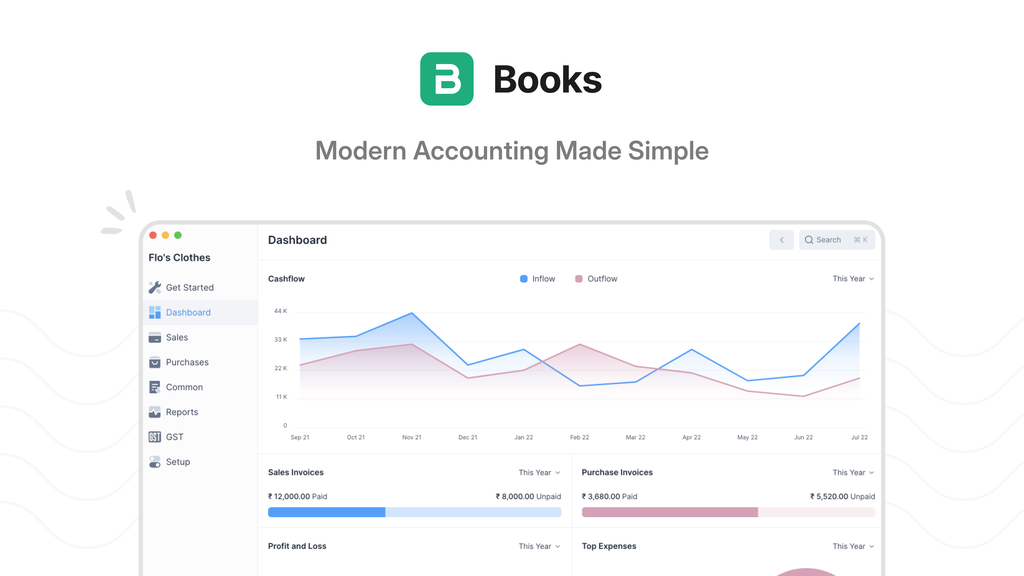
Frappe Books is the newest-looking option on this list. Clean desktop UI, offline by default, cross-platform. It doesn’t do bank feeds or US payroll, but the invoicing and basic bookkeeping work well for a project that’s still maturing.
If you’ve read our open source QuickBooks alternative guide, you’ll recognize Frappe Books from there.
Bookkeeper 2026 (Avanquest)
- Price: ~$40 (annual edition)
- Platforms: Windows only
- Best for: Budget-conscious Windows users with straightforward books
Bookkeeper 2026 can download credit card and bank transactions, handles basic invoicing, and includes W-4 calculations. Avanquest releases annual editions, so you’re buying a year’s version at a time rather than a perpetual product in the strict sense.
NCH Express Accounts
- Price: Free for businesses with fewer than 5 employees; ~$139 for the professional version
- Platforms: Windows, Mac
- Best for: Micro-businesses that need something simple and functional without spending money
NCH Express Accounts handles invoicing, basic reporting, and general ledger work. Manual bank import only. Nothing flashy, nothing broken. The free tier covers most solo freelancers; the paid version adds purchase orders and multi-user access.
➡️ Important Note
Several top-ranking buying guides still list Sage 50 and AccountEdge as one-time purchase options. They aren’t, and haven’t been for over a year. Sage 50’s perpetual license ended January 1, 2023.
AccountEdge moved to a subscription model ($20/month) with its 2024 release. If you cancel either product, your data file goes read-only. Any article recommending these as “no subscription” alternatives is working from outdated information.
How Much Does Desktop Accounting Software Cost Over Five Years?
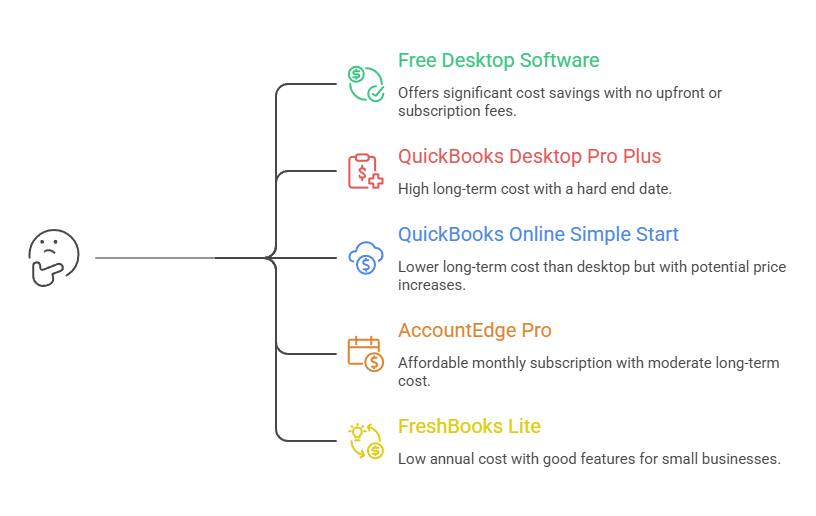
GnuCash and Manager.io cost $0. MoneyWorks runs around $249–$500 depending on the edition plus optional annual maintenance. But the number that surprises most people: QuickBooks Desktop Pro Plus at $1,149/year costs $5,745 over five years, and it has a hard end date.
That $5,745 figure is worth sitting with.
QuickBooks Online Simple Start at $38/month comes to roughly $2,280 over the same period — and NerdWallet has documented annual QBO price increases of 11.9–17.3% per plan since 2023, so the real five-year number is likely higher.
But even flat, QBO is $3,465 less than staying on QuickBooks Desktop. The “cheaper” desktop option now costs more than the cloud product it was supposed to be the alternative to.
AccountEdge Pro at $20/month runs roughly $1,200 over five years. FreshBooks Lite on annual billing comes in around $1,140.
GnuCash: $0. Manager.io: $0. MoneyWorks Express perpetual: $249 up front, plus maybe $100–$150 in optional maintenance renewals.
The line between “desktop accounting software saves money” and “desktop costs more” has blurred.
Free desktop accounting software genuinely saves money. But paid desktop subscriptions disguised as “desktop” (QuickBooks Desktop, Sage 50, the new AccountEdge) often cost as much as or more than the cloud products people are trying to escape.
If you’re choosing accounting software for small business, the pricing model matters more than whether it runs locally or in a browser.
What Do You Lose With Desktop Accounting Software in 2026?
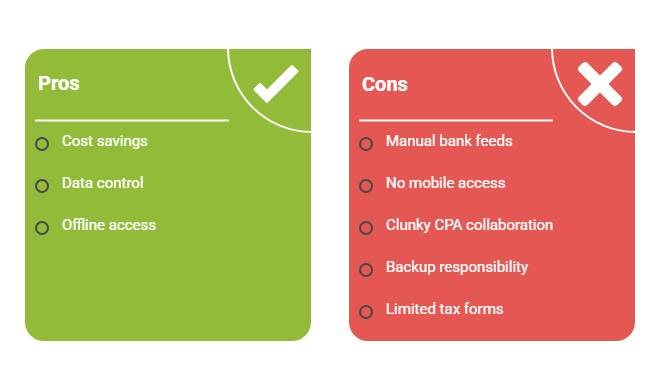
Automatic bank feeds, mobile access, easy CPA collaboration, and built-in tax-form generation. Some of these are minor inconveniences. Others might be deal-breakers depending on how you work.
Bank feeds are the big one
GnuCash’s OFX Direct Connect is dead in the US. Manager.io and Frappe Books don’t do automatic feeds either. MoneyWorks has limited regional support. In practice, going desktop in 2026 means downloading your bank statements as CSV or OFX files and importing them manually.
Budget an extra 10–15 minutes a week. That’s not catastrophic, but it’s the feature cloud users take for granted, and desktop users miss most.
Mobile access disappears
No on-the-go invoicing, no GPS mileage tracking, no snapping a photo of a receipt at lunch and having it auto-categorize. You’re back to photographing receipts on your phone and importing them later at your desk.
CPA collaboration gets clunkier
QuickBooks Desktop’s Accountant’s Copy workflow (.QBX files) is the gold standard, but it requires your CPA to run the same software. GnuCash and Manager.io users typically email a data file or share it via Dropbox. Cloud platforms make this a one-click invite.
Backups are entirely your responsibility
IRS Publication 583 requires that electronic recordkeeping systems be able to “index, store, preserve, retrieve, and reproduce” records in legible format. With cloud software, the vendor handles that. With desktop, it’s on you.
The 3-2-1 pattern — three copies, two different media, one stored offsite — is worth building into your weekly bookkeeping routine.
Tax form generation is the sleeper trap
GnuCash doesn’t generate 1099-NEC forms or W-2s. Neither does MoneyWorks (for US users).
The One Big Beautiful Bill Act raised the 1099-NEC reporting threshold from $600 to $2,000 for payments made in 2026, so solo freelancers paying a handful of contractors small amounts may not need to file 1099s at all.
But if you hit the 10-form e-file threshold (aggregated across all information return types), you’ll need a third-party service like IRIS, Tax1099, or Track1099 regardless of what desktop software you use.
Security updates stop when vendor support ends
Once Intuit drops a QuickBooks Desktop version, no more patches. Sage refused to issue TLS 1.2 security patches to its perpetual-license customers in 2022, effectively forcing them into subscriptions.
A cautionary precedent for anyone planning to run unsupported software indefinitely.
If several of these limitations are deal-breakers for you, it may be worth comparing the broader finance software options available to freelancers and consultants before committing to a desktop-only setup.
Is There a Middle Ground Between Desktop Accounting Software and Cloud?
Yes. The most practical setup for many freelancers is a free cloud tool for invoicing and bank feeds paired with a desktop app for the books. You get automatic bank connections without paying a monthly fee on the accounting side.

Three approaches worth considering.
The first is using free cloud invoicing alongside a desktop ledger.
Wave handles invoicing and bank feeds at no cost. Run GnuCash or Manager.io for your general ledger, chart of accounts, and reporting.
Total annual cost: $0.
You get the bank feed automation that desktop tools can’t provide, and the actual bookkeeping happens on software you control.
The second is staying on QuickBooks Desktop 2024 through September 2027 while gradually migrating.
You’ve got 17 months of support left. Use that window to export your data, test a couple of alternatives, and switch at a fiscal year boundary.
Starting fresh with clean opening balances in a new tool is almost always smoother than trying to import years of transaction history.
The third approach is hosted desktop.
Services like Right Networks ($57–$77/user/month) or Apps4Rent (~$30/user/month) run QuickBooks Desktop on their servers and give you remote access. But be honest with yourself: these are subscriptions for the hosting layer.
Total spend often exceeds QuickBooks Online Simple Start. If you’re escaping subscriptions, hosted desktop doesn’t actually get you there.
Desktop Accounting Software That’s Actually Still Subscription-Free
The desktop accounting software category isn’t what it was two years ago. The three products most people think of (QuickBooks Desktop, Sage 50, AccountEdge) all went subscription.
What’s left is a smaller, more honest list: GnuCash and Manager.io if you want free, MoneyWorks if you want paid-and-owned, and a handful of budget tools for simpler books.
For most freelancers earning under $100K, the combination of free cloud invoicing and a free desktop ledger is the best of both worlds.
It costs nothing, it gives you bank feeds and receipt capture where you need them, and the books live on your computer where you control the data.
That Bench shutdown in December 2024 proved the point that stung: when your financial data lives entirely on someone else’s servers, you’re one shutdown away from scrambling. Desktop software — even the imperfect, manual-import, ugly-interface kind — keeps the books where they belong.
On your machine. Under your control.
If you’re weighing cloud options too, our full guide to accounting software for freelancers covers every major platform side by side.
Frequently Asked Questions
Is there any desktop accounting software without a subscription?
Yes. Several desktop accounting programs can still be used without an ongoing subscription, including GnuCash, Manager.io Desktop, Frappe Books, MoneyWorks, Bookkeeper 2026, and NCH Express Accounts. However, most lack features that have become standard in cloud software, such as automatic bank feeds, mobile apps, and real-time accountant collaboration.
Can you buy QuickBooks Desktop without a subscription?
No. Intuit stopped selling QuickBooks Desktop Pro Plus, Premier Plus, and Mac Plus to new US customers in September 2024. Existing subscribers can still renew, but QuickBooks Desktop is now a subscription product rather than a one-time purchase.
What are people replacing QuickBooks with?
Many freelancers are replacing QuickBooks with free or low-cost alternatives such as GnuCash, Manager.io, Frappe Books, and Wave. If you want to evaluate cloud and desktop options side by side, our guide to open source QuickBooks alternatives compares the most popular replacements in detail.
Is desktop accounting software better than cloud accounting software?
Not necessarily. Desktop software gives you more control over your data and can eliminate subscription fees, but cloud software typically offers automatic bank feeds, mobile access, easier backups, and simpler collaboration with accountants. The best choice depends on which trade-offs matter most to you.
What is the best free desktop accounting software?
For most freelancers, GnuCash and Manager.io are the strongest free desktop accounting options. GnuCash offers the most complete accounting functionality, while Manager.io provides a more modern interface and a gentler learning curve.
Related guides: accounting software for freelancers · open source quickbooks alternative · bookkeeping for self employed · accounting software for small business in excel · finance software options for freelancers and consultants · purchase order vs invoice