The Best Accounting Software for Small Consulting Business

You didn’t start a consulting business to spend your evenings manually categorizing receipts or searching for the best accounting software for small consulting business needs.
But consulting has accounting needs that generic freelancer tools don’t handle well.
You’re billing one client hourly, another on a fixed project fee, and a third on a monthly retainer. You need to know which of those clients is actually profitable after you factor in your time. And the tool your designer friend uses for basic invoicing probably can’t tell you that.
The best accounting software for small consulting businesses isn’t the same as the best accounting software for freelancers. The billing models are different. The reporting needs are different.
The tax situation is often different, too.
This guide compares the best accounting software for small consulting businesses that actually handles project profitability, retainer billing, and billable hour tracking — and gives you a clear recommendation based on where your business is right now.
Author note: Before we get started, if you’re looking for general freelancer accounting software, we wrote a separate guide for that. This is the consultant-specific version.
The Quick Answer
If you don’t have time to read the full guide, here’s the short version:
Choosing the best accounting software for small consulting business operations depends mostly on your revenue, billing model, and whether you work solo or with a team.
- Just starting out (under $50K): Zoho Books free plan + Toggl Track free tier. Total cost: $0.
- Established solo consultant ($50K–$150K): FreshBooks Plus at $43/month. Best all-in-one for consultants at this stage.
- Growing solo or small team ($150K–$500K): FreshBooks Premium ($70/mo) if solo, or QuickBooks Online Essentials + Harvest (~$86/mo) if you have a team.
- Firm scaling past $500K: QuickBooks Online Plus + Harvest. Add Xero instead if you have international clients.
- S-Corp owners at any revenue: QuickBooks or Xero plus a payroll service like Gusto. FreshBooks can’t handle S-Corp payroll.
The full breakdown — and why each recommendation works — is below.
What Makes the Best Accounting Software for Small Consulting Business Different?
Consultants need to track profitability per project and per client, manage multiple billing models at once, and log billable hours accurately. Most accounting software treats all freelancers the same. It shouldn’t.
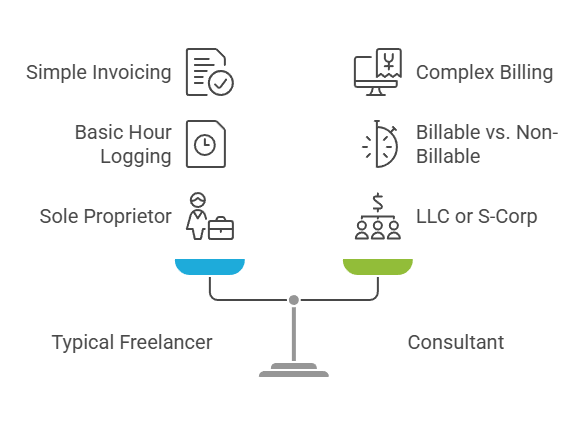
A typical freelancer sends invoices and tracks expenses.
A consultant does all of that while also tracking billable vs non-billable hours (the target utilization rate for most consulting firms is 70 to 80%), managing simultaneous billing arrangements across different clients, and needing per-client profitability data to make pricing and scope decisions.
Without that data, you’re guessing which engagements are worth keeping.
Entity structure matters too.
Many consultants operate as LLCs or S-Corps rather than sole proprietors. If you’ve elected S-Corp status, your accounting requirements change significantly. You need payroll for your “reasonable salary,” shareholder distribution tracking, and W-2 plus K-1 reporting.
QuickBooks Self-Employed and simplified tools can’t handle any of this. If you’ve made the S-Corp election (or you’re considering it), your software choice narrows.
The right tool should reduce your admin time, not add to it. The average consultant spends roughly 40% of their working hours on non-billable administrative tasks. Good accounting software brings that number down.
Bad accounting software makes it worse.
Which Three Features Matter Most for Consultants?
Project profitability tracking, time tracking integration, and retainer billing support. These are the three features every best accounting software for small consulting business solution should handle well. Get these right and everything else falls into place.
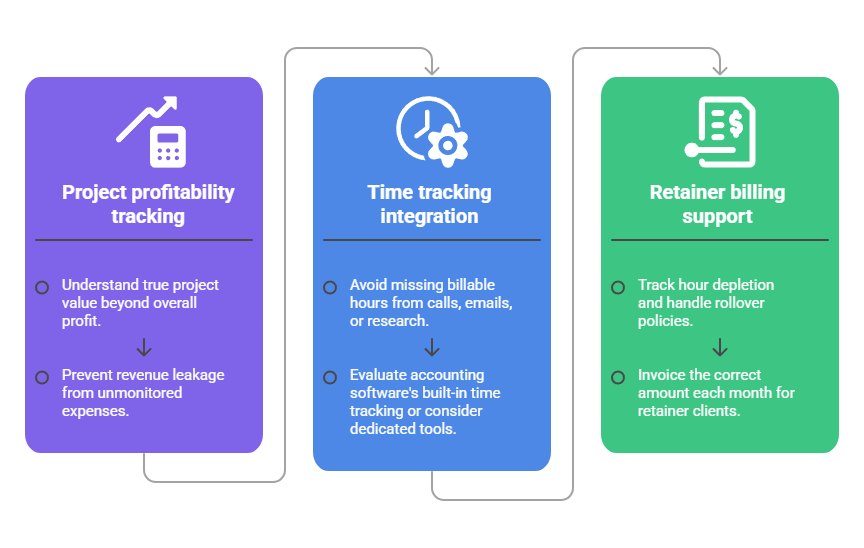
Project profitability is the single biggest differentiator between consultant accounting and general freelancer accounting.
You need to see revenue minus costs per project and per client, not just your overall profit and loss.
A $10,000 engagement sounds great until you realize it took 120 hours to deliver. At your $150/hour target rate, you effectively earned $83.
Without per-project tracking, you won’t see this until year-end, if ever.
Time tracking integration determines how much of your billable work actually gets invoiced. Poor tracking creates revenue leakage. You forget to log a 15-minute client call, a quick email exchange, and an hour of background research.
Over a year, those missed entries add up to thousands of dollars in unbilled work. The question is whether your accounting software’s built-in time tracking is good enough or whether you need a dedicated tool like Harvest or Toggl running alongside it.
Retainer billing is the third differentiator, and almost every competitor article ignores it entirely. If you have clients on monthly retainers with pre-paid hours, you need software that tracks hour depletion, handles rollover policies, and invoices the correct amount each month.
Only FreshBooks and Bonsai handle this natively. QuickBooks and Xero can send recurring invoices, but they can’t track hours consumed against a retainer balance without manual workarounds.
What’s the Best Accounting Software for Small Consulting Business Owners?
Four tools cover the vast majority of consulting businesses. Each option below approaches best accounting software for small consulting business needs differently depending on team size and complexity.
FreshBooks for solo consultants, QuickBooks Online for growing firms, Xero for international or team-heavy practices, and Zoho Books for budget-conscious consultants.
| Tool | Price | Time Tracking | Project Profitability | Retainer Billing | Best For |
| FreshBooks | $43–70/mo | Built-in (excellent) | Premium ($70) | Native | Solo consultants, all-in-one |
| QuickBooks Online | $75–115/mo | Built-in (basic) | Plus ($115) | Workaround only | Growing firms, CPA compatibility |
| Xero | $47–80/mo | Established ($80) | Established ($80) | Recurring only | International clients, unlimited users |
| Zoho Books | Free–$70/mo | Premium ($70) | Premium ($70) | Recurring only | Budget-conscious consultants |
FreshBooks
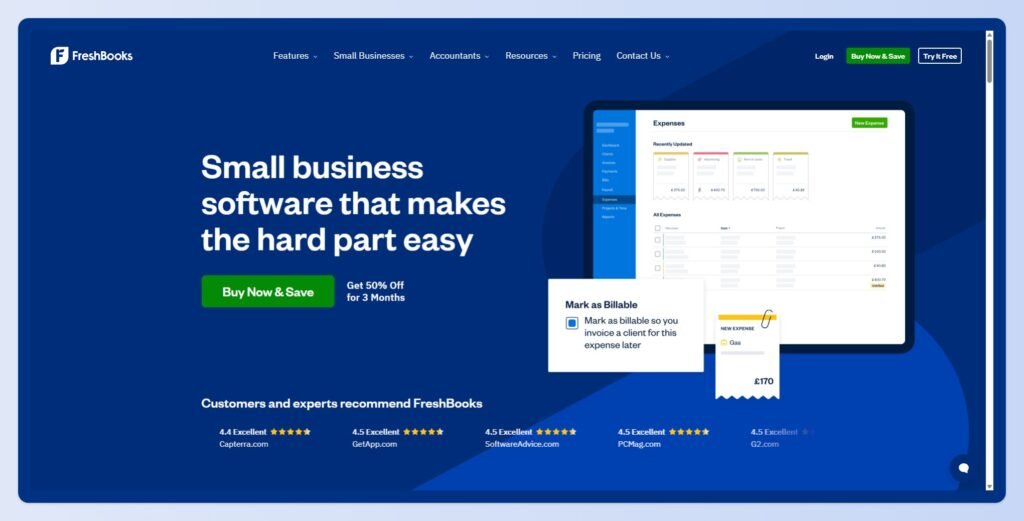
Has the best built-in time tracking of any accounting tool on this list.
Start/stop timers link directly to projects and invoices with zero friction. The Plus plan ($43/mo) adds proposals and native retainer billing. Premium ($70/mo) adds project profitability reports.
The client cap on Lite (5 billable clients, including historical ones) makes it a non-starter for most consultants, so budget for Plus at a minimum. FreshBooks isn’t full double-entry accounting, and firms above $400K in revenue typically outgrow it.
But for solo consultants billing under that threshold, it’s the closest thing to a single-tool solution.
QuickBooks Online
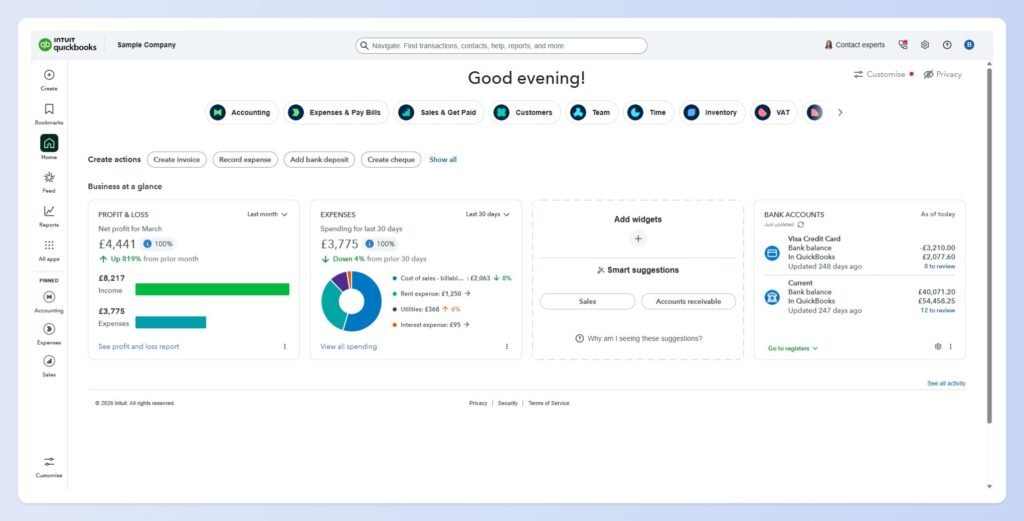
The safe choice every CPA in America knows.
Project profitability tracking on the Plus plan ($115/mo) is solid, with budget-vs-actual reporting and cost allocation by project.
Built-in time tracking exists, but it’s basic compared to FreshBooks or a dedicated tool. The real advantage is accounting depth: full double-entry, class and location tracking, 1099 contractor management, and the most mature financial reporting of any option here.
If you’re an S-Corp, QBO plus a payroll service like Gusto ($40/mo + $6/person) is the most recommended setup across accounting forums.
Xero
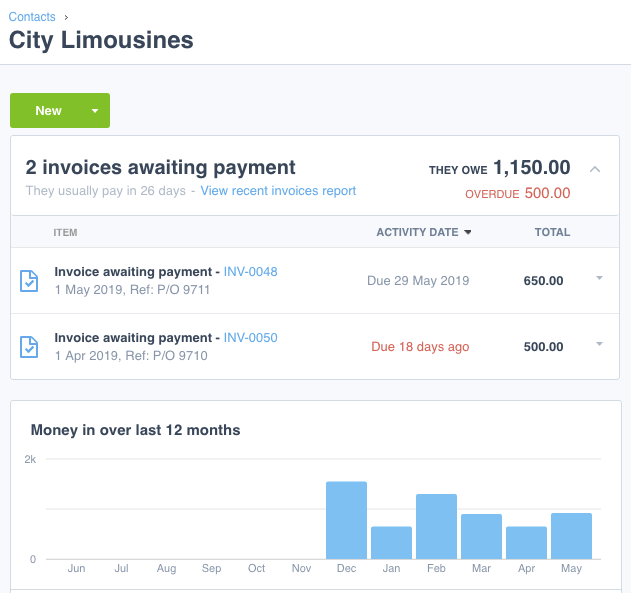
The smart pick for consultants with international clients or growing teams. Multi-currency support on the Established plan ($80/mo) covers 160+ currencies.
And every Xero plan includes unlimited users at no extra cost. QuickBooks charges per user. FreshBooks charges $11 per additional team member. If you’re a four-person firm, that difference adds up fast.
Project tracking and time tracking both live on the Established plan. Fewer US CPAs know Xero than QuickBooks, so check with your accountant before committing.
Zoho Books
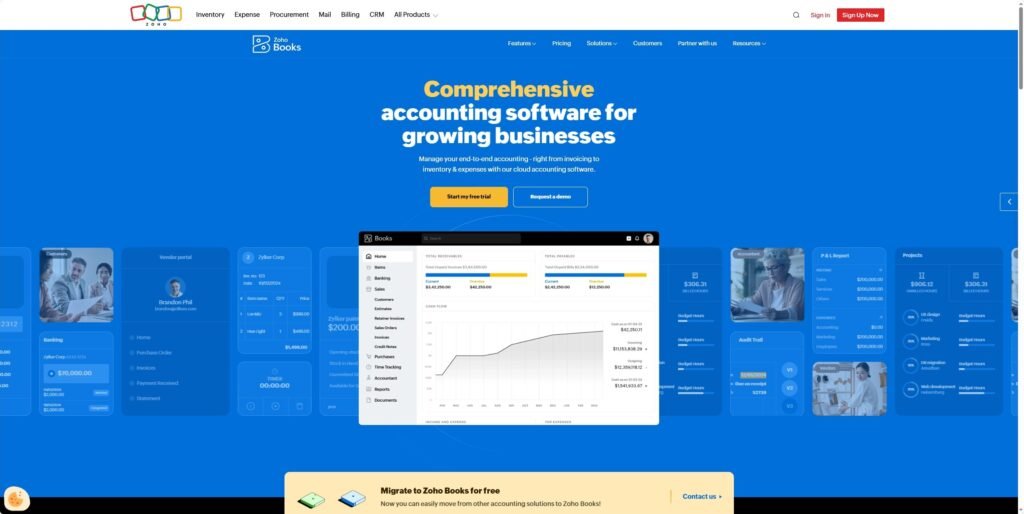
The best value. Free for businesses under $50K in annual revenue. Paid plans start at $20/mo, and the Premium plan ($70/mo) adds timesheets and project tracking.
It’s not as polished as FreshBooks or as deep as QuickBooks, but the feature-to-price ratio is the best in this category.
If you’re already using other Zoho products (CRM, Projects, Invoice), the integration is a real advantage.
Which Setup Do You Actually Need?
It depends on your revenue, team size, and how you bill. The best accounting software for small consulting business setup for a solo consultant is rarely the same as for a growing firm.
A solo consultant earning $80K with three retainer clients needs a very different setup than a five-person firm billing $600K across fifteen engagements.
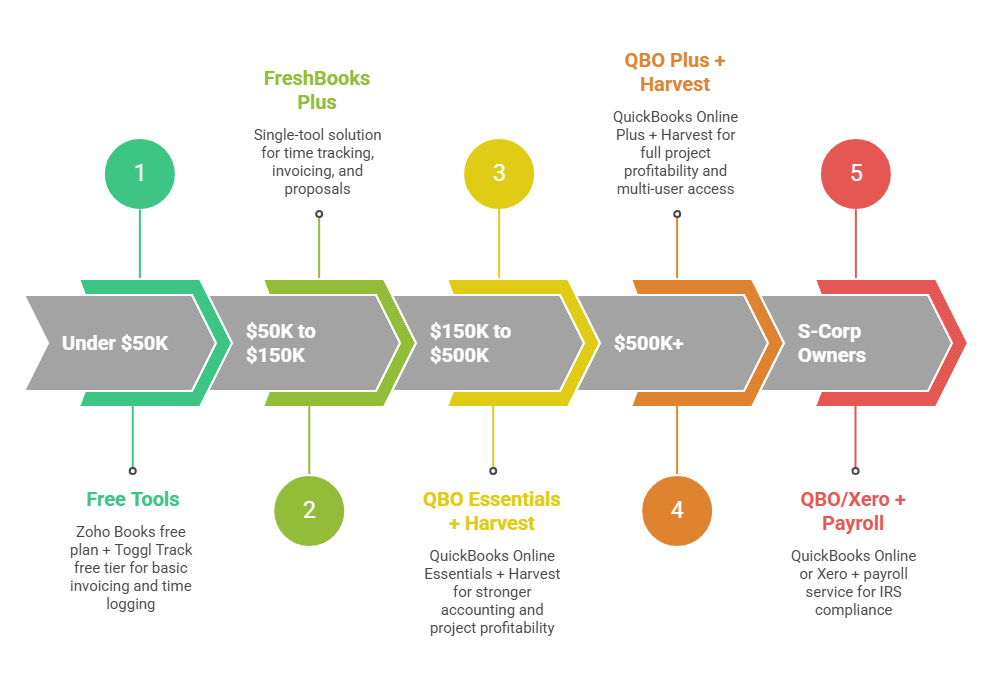
- Under $50K (just starting out): Zoho Books free plan plus Toggl Track free tier (up to 5 users). Total cost: $0. This handles basic invoicing, expense tracking, and time logging. Upgrade when you outgrow it, not before.
- $50K to $150K (established solo consultant): FreshBooks Plus ($43/mo) is the single-tool sweet spot. Time tracking, invoicing, retainer billing, proposals, and basic financial reports in one place. If you’re still running on spreadsheets at this stage, this is the upgrade that pays for itself in recovered billable hours.
- $150K to $500K (solo or small team): FreshBooks Premium ($70/mo) if you’re solo and it still fits. Or QuickBooks Online Essentials ($75/mo) plus Harvest ($11/seat/mo) for a two-to-three person team. The QBO plus Harvest stack gives you stronger accounting with best-in-class project profitability tracking for roughly $86 to $108/mo total.
- $500K+ (growing firm): QuickBooks Online Plus ($115/mo) plus Harvest. You need full project profitability, multi-user access, and real financial reporting at this stage. If you have international clients, Xero Established ($80/mo) plus Harvest saves money through unlimited users.
- S-Corp owners at any revenue: QuickBooks Online (Simple Start minimum) or Xero, plus a payroll service. FreshBooks and Bonsai can’t handle S-Corp payroll and distribution tracking. This isn’t optional. The IRS requires it.
When Is One Tool Not Enough?
When your accounting software’s built-in time tracking isn’t capturing your billable hours accurately, or when your business grows past what a single tool can handle for invoicing, accounting, and project management.
The most common consulting stack is an accounting tool (QuickBooks or Xero) paired with a dedicated time tracker (Harvest or Toggl Track).
Harvest in particular was built for consulting and professional services firms, and its project profitability reports are significantly better than what’s built into any accounting platform.
The all-in-one approach (FreshBooks or Bonsai) works well for solo consultants because it cuts context-switching and reduces admin time.
But it tends to break down when you add team members, need deeper financial reporting, or want your CPA to collaborate directly in the system.
That’s why consultants often end up with a broader finance software stack covering banking, invoicing, accounting, expenses, and tax rather than relying on one app for everything.
The transition usually happens around $200K to $400K in revenue, or when you bring on your first subcontractor or employee. Plan the switch for a quiet month. Never migrate accounting systems mid-project or during tax season.
And keep your old data exported and archived. Your CPA will thank you.
For more on managing the financial side of irregular consulting income, our guide to cash flow management tools covers the systems and tools that keep project-based businesses solvent between invoices.
And if you’re still getting your bookkeeping basics sorted, check out our article on bookkeeping for self-employed and these accounting tips for keeping your financial records organized throughout the year.
Pick the Tool That Answers the Right Question
The best accounting software for your consulting business is the one that answers a simple question: which clients and projects are actually making you money? If your current setup can’t tell you that, it’s costing you more than whatever the monthly subscription would be.
Ultimately, the best accounting software for small consulting business owners is the one that helps you understand profitability without adding more admin work.
For most solo consultants, FreshBooks handles the job. For firms, QuickBooks plus Harvest is the proven combination.
Start with where your business is today and upgrade when you feel the pain. Not before.
Frequently Asked Questions
What is the best accounting software for a small consulting business?
The best accounting software depends on your business stage and needs. FreshBooks is often the best all-in-one option for solo consultants because it combines invoicing, time tracking, and retainer billing. Growing consulting firms typically benefit from QuickBooks Online, while Xero is a strong choice for businesses with international clients. Budget-conscious consultants may prefer Zoho Books.
Why do consultants need different accounting software than freelancers?
Consultants often manage multiple billing models, track billable and non-billable hours, monitor project profitability, and work with retainers. These requirements make consultant accounting more complex than the invoicing and expense tracking needs of many freelancers.
Can ChatGPT do bookkeeping?
No. ChatGPT can help explain bookkeeping concepts, categorize transactions, create bookkeeping workflows, and generate templates, but it cannot automatically reconcile accounts, maintain accounting records, or replace accounting software. You’ll still need a bookkeeping system and should review all financial information for accuracy.
What is project profitability tracking?
Project profitability tracking measures how much profit a specific client or project generates after accounting for the time and costs required to deliver the work. It helps consultants identify their most profitable engagements and make better pricing decisions.
Do consultants need time tracking software?
Not always, but most consultants benefit from it. Accurate time tracking helps ensure billable hours are invoiced correctly, improves project profitability reporting, and reduces revenue leakage caused by forgotten tasks, meetings, and client communications.
Related guides: accounting software for freelancers · bookkeeping for self-employed · accounting tips · cash flow management tools · finance software options for freelancers and consultants