Grok vs ChatGPT: Which AI Is the Ultimate Choice?

The Grok vs ChatGPT decision gets real on a Thursday: the scope doc is due in the morning, and you’ve just hit the message limit on the assistant you pay for. No warning, no counter in the corner, just a quiet suggestion that you upgrade.
That’s the moment that decides which AI subscription you keep, and no benchmark table on page one will tell you when it arrives.
You’re picking something you’ll open forty times a week, paste client material into, and answer for if it puts a wrong number in a deliverable.
So the question worth your $20 or $30 (or more) is which subscription survives a working week you bill against, and what you’re actually buying when you hand over the card.
The thing is, ChatGPT Plus and SuperGrok are ten dollars apart, so it’s not really about price, but more about which is going to offer the best experience and deliver the best results.
Here’s everything you need to know.
Quick Takeaways
- ChatGPT runs Free → Go → Plus $20/month → Pro, which has two tiers at $100 and $200. New $200 signups have been paused since 10 September 2026.
- Grok runs Free → SuperGrok $30/month → SuperGrok Plus $100/month. SuperGrok also comes bundled inside X Premium+ at $40/month.
- Grok’s context window is nearly double what ChatGPT Plus gives you. That’s the one capability gap that shows up in real freelance work.
- Neither company publishes a single fixed cap covering every model and feature. Both describe limits in relative terms and leave it there.
- Both use your conversations to train their models by default, and both give you a switch to turn that off. Find it before you paste a client’s contract in.
How do Grok and ChatGPT compare in 2026?
ChatGPT is cheaper to enter at $20/month against SuperGrok’s $30, and better equipped for repeat client work. Grok holds more of your document at once, 500,000 tokens against ChatGPT Plus’s 256K, and generates video on its entry paid tier. Every figure below came from the vendors’ own pages.
Both products moved in the last week, so here’s where they stand today.
ChatGPT is cheaper to enter and better equipped for repeat work. Grok holds more of your document in memory at once and generates video on its entry paid tier. Everything below came from the vendors’ own pages.
| ChatGPT | Grok | |
| Maker | OpenAI | xAI |
| Free tier | Yes, on GPT-5.6 Luna, with limited tools | Yes, with real-time web and X search, voice |
| Entry paid plan | Plus, $20/month | SuperGrok, $30/month |
| Top consumer plan | Pro, $100 and $200 | SuperGrok Plus, $100/month |
| Bundled route | None | X Premium+, $40/month |
| Flagship model | GPT-6 Astra | grok-4.6 |
| Context on entry paid tier | 256K reasoning, 54K instant | 500K |
| Live data | Web browsing | Web and live X search |
| Training opt-out | Settings → Data Controls | Settings → Data → Improve the Model |
| Published usage caps | No single fixed cap | No single fixed cap |
Pricing and specs verified at chatgpt.com/pricing, x.ai/pricing and the xAI model docs in September 2026. Both companies change tiers often, so re-check before you commit.
How do you choose between Grok and ChatGPT?
Choose on the work, not the model. If nothing you feed it is enormous, ChatGPT Plus at $20/month is the cheaper capable tier. If you routinely read documents longer than about 40 pages, SuperGrok’s 500K context window wins. If you already pay for X Premium+, you have SuperGrok already.
Before you compare either plan, work out which of these you’re solving. Three questions sort almost everyone:
Do you regularly need to read something longer than about 40 pages in one go?
Contracts, discovery transcripts, a year of project email, a competitor’s whole site copy.
Do you do the same shaped job over and over?
Scope docs, status updates, onboarding emails, proposals that only change in the details.
Does your output include images or short video?
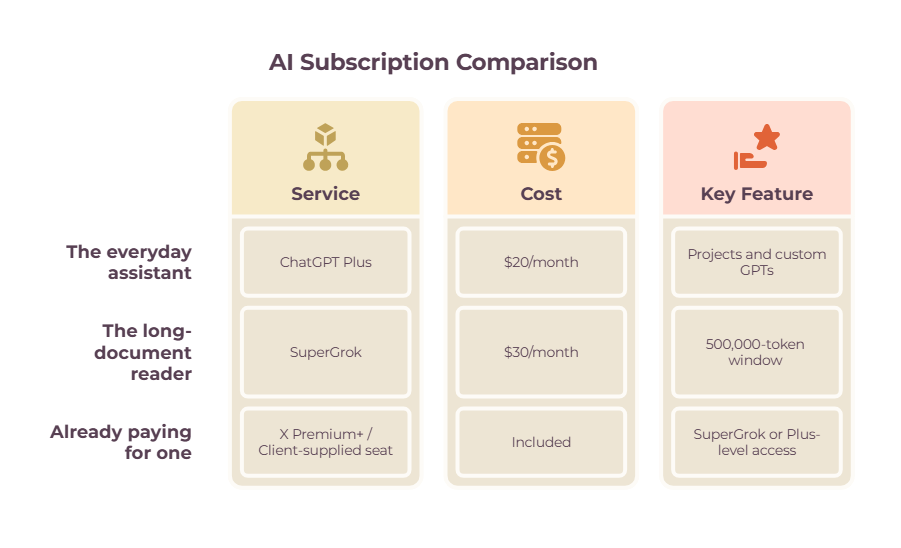
➡️ Path one — the everyday assistant. You draft, summarize and research, and nothing you feed it is enormous. ChatGPT Plus at $20/month is the cheapest capable tier, and Projects and custom GPTs make the repeat work faster every month.
➡️ Path two — the long-document reader. You put big files in and need the whole thing held at once. SuperGrok at $30/month gives you a 500,000-token window against ChatGPT Plus’s 256K.
➡️ Path three — you’re already paying for one. An X Premium+ subscription already includes SuperGrok, and a client-supplied ChatGPT seat already includes Plus-level access with stronger data controls. Check before you add another line to your expenses.
What do you actually buy with a Grok or ChatGPT subscription?
ChatGPT’s paid ladder starts at $20/month and Grok’s at $30/month. There’s also a third door into Grok through X Premium+ at $40/month, which is the route most comparison posts quote and the one fewest freelancers should take. Both companies publish these prices on their own pricing pages.
ChatGPT’s paid ladder starts at $20, and Grok’s starts at $30. There’s also a third door into Grok through an X subscription at $40, which is the route most comparison posts quote, and the one fewest freelancers should take.
How much does ChatGPT cost in 2026?

ChatGPT Plus costs $20/month, and Pro comes in two tiers at $100 and $200. Free and Go sit below Plus. OpenAI paused new signups to the $200 Pro tier on 10 September 2026, though upgrades to the $100 tier are still open.
ChatGPT has four consumer tiers.
Free gives you unlimited text chats on GPT-5.6 Luna with limited uploads, image generation, voice, deep research, memory and Codex access.
Go at $8 per month expands all of that, and OpenAI’s own pricing page notes the plan may include ads.
Plus at $20/month is best for freelancers.
You get advanced reasoning on GPT-6 Astra and GPT-5.6, expanded uploads and deep research, expanded Codex, and three features that turn a chat window into a workspace: Projects, scheduled tasks and custom GPTs. Those features can make ChatGPT part of a wider stack of productivity tools rather than just a standalone chatbot.
Pro comes in two tiers, $100 and $200, with 5x more usage, Pro reasoning powered by GPT-6 Astra, and maximum Codex, deep research and memory.
OpenAI paused new signups and upgrades to the $200 plan on 10 September 2026. Upgrades to the $100 tier are still open.
How much does Grok cost in 2026?
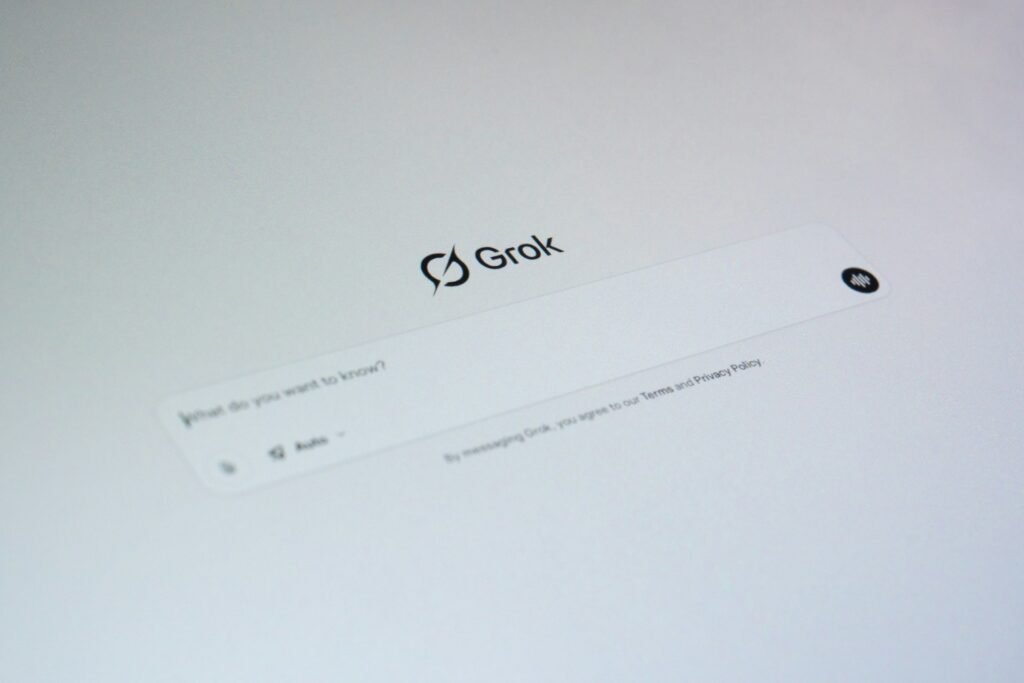
SuperGrok costs $30/month, and SuperGrok Plus costs $100/month, with a free tier below both. SuperGrok is the working tier: it carries the grok-4.6 model, Grok Bot access, connectors, higher rate limits, and image and video generation. SuperGrok Plus adds 1080p video and much higher usage.
Grok’s own pricing page lists three individual tiers. Free covers real-time web and X search, voice mode, connectors and SOC 2 compliance.
SuperGrok at $30/month is the working tier. It carries the grok-4.6 model, Grok Bot access, connectors, higher rate limits across all features, Expert, and image and video generation.
SuperGrok Plus at $100/month adds 1080p video creation, much higher usage across Chat, Imagine, Voice and Build, faster replies and priority access at peak times.
The plan comparison on the same page also names SuperGrok Lite, SuperGrok Heavy and Business tiers without publishing prices for them. If one of those is pitched to you, the figure will come from a sales conversation rather than a public page.
Is X Premium+ a good way to get Grok?
Rarely. X Premium+ costs $40/month or $395/year and includes SuperGrok, which you can buy directly for $30. The bundle only makes sense if you were buying Premium+ for the social account anyway. Otherwise, you’re paying $10 a month extra for a social subscription you didn’t want.
X Premium sells at three levels: Basic at $3/month or $32/year, Premium at $8/month or $84/year, and Premium+ at $40/month or $395/year. Premium+ is the tier that includes SuperGrok along with Grok Bot, Imagine for images and video, and voice mode.
That’s $40/month for an assistant you can buy on its own for $30. The bundle only makes sense if you were buying Premium+ for the social account anyway. Plenty of freelancers aren’t.
Is Grok better than ChatGPT for freelance work?

For most freelance work, no. ChatGPT Plus costs $10 less and includes Projects, scheduled tasks and custom GPTs, which pay off on repeat work. Grok wins on two specific jobs: reading very long documents in one pass, and generating video. Here’s how they split across five daily tasks.
A single overall verdict hides the useful answer, because the winner flips depending on the work. Here’s how they split across the five jobs that fill most freelance weeks.
Which handles long documents better, Grok or ChatGPT?
Grok, and it isn’t close. The grok-4.6 model holds a 500,000-token context window. ChatGPT Plus tops out at 256K on reasoning models, around 320 pages, and 54K on instant, around 40 pages. You only reach 400K on ChatGPT Pro at $100/month.
The xAI model docs put grok-4.6 at a 500,000-token context window, trained on data through 1 February 2026. ChatGPT’s own pricing comparison puts Plus at 256K on reasoning models (around 320 pages of input) and 54K on instant (around 40 pages). You only reach 400K, roughly 680 pages, on Pro.
For freelancers, this is a big difference in workflow.
A full client contract set, a year of project emails, a three-hour transcript: one pass on Grok, chunked and stitched on ChatGPT Plus.
Verdict: Grok, clearly.
Which is better for proposals and repeat client work?
ChatGPT. Projects, scheduled tasks and custom GPTs all arrive at the $20 Plus tier, and Grok’s published consumer feature list has no equivalent. A custom GPT that already knows how you scope a project saves more time over a month than any benchmark difference does.
Projects, scheduled tasks and custom GPTs arrive at the Plus tier. A custom GPT that already knows how you scope a project and what your rates look like saves more time over a month than any benchmark difference does.
Grok has no equivalent on its published consumer feature list.
Verdict: ChatGPT.
Which has better live data, Grok or ChatGPT?

Grok reaches live social data faster, because real-time web and X search are included from its free tier and the model was trained through 1 February 2026. ChatGPT browses the web. Whether that matters depends entirely on what “current” means for your particular brief.
Grok’s free tier already includes real-time web and X search. ChatGPT browses the web. The honest answer depends on what “current” means for your brief.
If you’re writing about a product launch, a news cycle or a live conversation in an industry, X search reaches something a web crawl lags behind.
If you need current freelance rates, a regulation, or what a client’s competitor actually charges, neither live feed helps much, and you’ll be checking primary sources yourself either way.
Verdict: depends on your work.
Which is better for light code and spreadsheet work?
ChatGPT, on shipped tooling. Codex access comes with every paid ChatGPT tier and expands as you move up. Grok offers Grok Build, with significantly higher usage on SuperGrok Plus at $100/month. Code work burns through usage limits faster than drafting, and neither company spells out what that costs you against the cap.
ChatGPT bundles Codex access across its paid tiers and expands it upward, so a freelancer writing a scraper, a formula, or a quick script has a supported path. Grok offers Grok Build, with significantly higher usage on SuperGrok Plus.
This is also where the invisible usage caps bite first, because code work burns through limits faster than drafting does.
Verdict: ChatGPT, on shipped tooling.
Which is better for images and video, Grok or ChatGPT?

Grok, if video is part of what you deliver. SuperGrok includes image and video generation at $30/month, and SuperGrok Plus adds 1080p video at $100. ChatGPT scales image creation by tier, from limited on Free to unlimited on Pro, with no consumer video product on its pricing page.
SuperGrok includes image and video generation at $30, and SuperGrok Plus adds 1080p video at $100. ChatGPT scales image creation by tier, from limited and slower on Free up to unlimited and faster on Pro, with no consumer video product listed on its pricing page.
If short-form video is part of what you deliver, that’s a meaningful difference in the box.
Verdict: Grok.
What Grok vs ChatGPT differences do comparison tables miss?

Three things decide whether you keep a subscription past month two, and none appear in a benchmark table: the usage limits neither company will pin down, what happens to the client material you paste in, and whether your client has a view on which AI company you use.
What are the usage limits on Grok and ChatGPT?
Neither publishes one simple number covering everything. ChatGPT describes its tiers as “more messages”, “expanded” and “5x more usage” with a “Limits apply” footnote; xAI says “higher rate limits” and “significantly higher usage”. You can’t price-compare these plans on throughput, which is why a one-week trial beats any comparison table.
Neither publishes one figure you can hold them to.
ChatGPT describes its tiers as “more messages”, “expanded”, “5x more usage”, with a “Limits apply” footnote. xAI describes its own as “higher rate limits” and “significantly higher usage”.
So you can’t price-compare these plans on throughput, because neither vendor will tell you what you get for the money.
That’s the single most useful thing to know before you pick, and it’s the reason a one-week trial on your own real work beats any comparison table, this one included.
What happens to client material you paste into Grok or ChatGPT?
Both use your conversations to improve their models unless you turn it off, and both give you a switch. In ChatGPT, it’s Settings → Data Controls. In Grok, it’s Settings → Data → “Improve the Model”, or use Private Chat. Business and enterprise plans are excluded from training on both.
Both products use your conversations to improve their models unless you say otherwise, and both give you a switch.
➡️ ChatGPT. Go to Settings → Data Controls and turn off “Improve the model for everyone”. New conversations then stay out of training.
Temporary Chat keeps a conversation out of your history and creates no memories, but OpenAI states that for safety purposes it may still keep a copy for up to 30 days.
➡️ Grok. On grok.com, go to Settings → Data → “Improve the Model”; on mobile it’s Settings → Data Controls.
xAI’s consumer FAQ states plainly that it may use your prompts and Grok’s responses to train its models, and that Private Chat content is never used for training. Private Chat conversations are deleted within 30 days.
One asymmetry worth knowing: if you use Grok without logging in, outside the EU and UK there’s no opt-out available at all.
Both companies exclude business and enterprise customer content from model training, so if a client gives you a seat on their workspace, that seat is the safer place to do their work.
Does it matter to clients which AI assistant you use?
Sometimes, it’s worth knowing which of your clients cares before it comes up on a call rather than after. Neither product is a professional liability. Search data around this comparison is thick with Elon Musk and breaking news, which tells you the territory you’re standing in.
Quite simply, some clients have a view about which AI company you use, most don’t, and it’s better to know which one yours is before it comes up in a call rather than after.
Neither product is a professional liability. It’s usually down to the client and their preference, depending on their understanding of the AIs, and what news feeds they follow.
How do Gemini and Claude compare to Grok and ChatGPT?
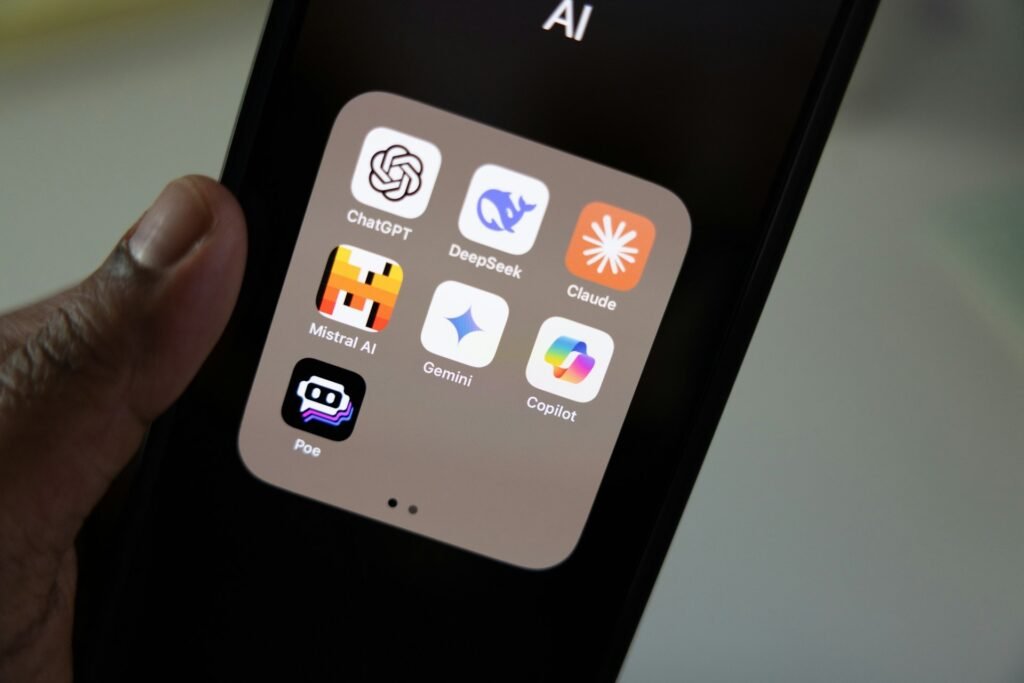
Gemini’s advantage is its position inside Google Workspace, so it wins when client work already lives in Docs, Sheets and Gmail. Claude’s reputation sits with long-form writing and code. No prices are quoted for either here, because this post only publishes figures read at the vendor’s own pricing page.
Plenty of people searching this comparison are really running a four-way shortlist that includes Google’s Gemini and Anthropic’s Claude.
Short version: Gemini’s advantage is its position inside Google Workspace, so if your client work already lives in Docs, Sheets and Gmail, that integration is worth more than a model benchmark.
Claude’s reputation sits with long-form writing and code, and it’s the one people reach for when tone matters.
Prices for those two aren’t quoted here, because this post only publishes figures read at the vendor’s own pricing page, and those checks belong in a dedicated four-way comparison rather than a footnote.
Treat any price you see for them in a roundup as unverified until you’ve opened the source.
So which should you actually pick, Grok or ChatGPT?

Pick ChatGPT Plus at $20/month for everyday client work, and SuperGrok at $30/month if you regularly read whole contracts or produce video. If you already pay for X Premium+ or have a client-supplied ChatGPT seat, buy nothing. Both free tiers are usable for occasional work.
| If you… | Pick | Why |
| Want one assistant for everyday client work | ChatGPT Plus, $20/mo | Cheapest capable tier, plus Projects and custom GPTs |
| Regularly drop whole contracts, transcripts or archives in | SuperGrok, $30/mo | 500K context against 256K on Plus |
| Make short-form video or images as part of the deliverable | SuperGrok, $30/mo | Image and video generation on the entry tier |
| Already pay for X Premium+ | Nothing new | SuperGrok is already included at $40/mo |
| Have ChatGPT through a client’s workspace | Nothing new | Business plans also carry stronger data controls |
| Only need help a few times a week | Either free tier | Both are usable, and Grok’s includes live search |
That fourth and fifth row matter. Before you add another $20 to the stack of subscriptions already running against your invoices, check whether you’re paying for one of these twice.
A freelancer with X Premium+ and a client-supplied ChatGPT seat is fully covered and doesn’t need to spend anything.
How to pick the Grok or ChatGPT plan you’ll keep
The better tool is the one that’s open when you sit down, configured to write the way you write, and whose limits you’ve already found. On price and everyday fit, that’s ChatGPT Plus at $20. On long documents and video, it’s SuperGrok at $30.
The proposal is due either way. The better tool is the one that’s open when you sit down, that you’ve configured to write the way you write, and whose limits you’ve already run into so nothing surprises you at 4pm on a deadline.
On price and on everyday fit, that’s ChatGPT Plus at $20. On very long documents and on video, it’s SuperGrok at $30. Pick on the work, run the week, and cancel whichever one you stop opening. The tool only matters if the time it saves goes back into useful work; how to be more productive covers that side of the equation.
Next, put the time you get back somewhere useful: the Nimblelancer guide to time management for freelancers covers where the hours actually go, and workflow automation tools handle the jobs you shouldn’t be prompting for at all.
Frequently Asked Questions
Should a freelancer pay for Grok or ChatGPT?
ChatGPT, for most freelance work. ChatGPT Plus costs $10 less per month and includes Projects, scheduled tasks and custom GPTs, which pay off on the repeat work freelancers actually do.
Grok is better on one specific job: reading very long documents in a single pass, where its 500K context window beats ChatGPT Plus’s 256K.
How much do Grok and ChatGPT cost in 2026?
ChatGPT Plus is $20/month, and ChatGPT Pro comes in $100 and $200 tiers. SuperGrok is $30/month, and SuperGrok Plus is $100/month. Grok also comes bundled into X Premium+ at $40/month or $395/year. Both companies have free tiers.
Are the free versions of Grok and ChatGPT enough?
For occasional use, yes. Grok’s free tier includes real-time web and X search and voice mode.
ChatGPT’s free tier gives unlimited text chats on GPT-5.6 Luna with limited uploads, image generation, deep research and memory.
The paid tiers buy you higher limits and, on ChatGPT Plus, the workspace features.
Daily billable use will find the free ceiling quickly, though how quickly depends on what you’re doing — long uploads, deep research and image generation run it down far faster than text chat.
Which is better for coding, Grok or ChatGPT?
ChatGPT has the more developed offering for freelancers writing light code, with Codex access on every paid tier and expanded usage as you move up.
Grok offers Grok Build, with significantly higher usage on SuperGrok Plus at $100/month. Neither spells out what heavy code use costs you against the cap, and code work burns through limits faster than drafting does.
Does Grok or ChatGPT have more up-to-date information?
Grok has the edge on live social data, because real-time web and X search are included from its free tier. Grok’s flagship model was trained on data through 1 February 2026.
For anything where the current answer lives on X, Grok reaches it faster. For rates, regulations and pricing, verify at the source regardless of which tool you use.
Is it safe to paste client work into Grok or ChatGPT?
Both use your conversations for model training by default, and both let you turn it off. In ChatGPT, that’s Settings → Data Controls → “Improve the model for everyone”.
In Grok, it’s Settings → Data → “Improve the Model”, or use Private Chat, which is excluded from training and deleted within 30 days.
If a client has given you a seat on their business plan, use it: neither company trains on business or enterprise content.
Related guides: productivity tools for freelancers · time management for freelancers · workflow automation tools · how to be more productive