The Best Apps for Freelancers to Manage Your Business

Your phone is an app graveyard. Three you tried once, two you forgot you’re still paying for, and the one you actually open every day. And every “best apps for freelancers” list just hands you more to download.
I’m going to try to make this guide a bit different. Instead of your phone being a distraction where you end up scrolling for an hour when you really just wanted to check an email, let’s try to turn your device into a productivity powerhouse, BUT in a way that works for you.
Think of it more as a menu rather than a shopping cart.
This isn’t about getting more apps. It’s about having a handful of standouts that each do one job brilliantly — or replace five at once.
So while this is a big list, the goal is a leaner stack, not a bigger collection. Skim it, grab the few that fit how you actually work, and ignore the rest. Every app below gets its own quick rundown — a one-line description plus the bullets that matter (what it’s best for, price, platform, and why it earns a spot) — so you can see exactly what each one is about at a glance.
Quick Takeaways
- The freelance app world spans getting paid, managing work, productivity, banking and tax, communication, and creative — this list covers the standouts in each.
- All-in-one apps (Bonsai, Moxie, Plutio) replace several tools if you’d rather have one login; best-of-breed apps each do one job better.
- Free standouts exist — Wave, Clockify, Notion, Google Workspace, ChatGPT — so you can build a real stack for little to nothing.
- If you already use Xero or QuickBooks, their apps cover accounting basics; this list is about the dedicated standouts.
- You don’t need them all. Most freelancers run a lean five-to-eight-app stack.
First, the basics (your accounting app already does some of this)

If you already run your books in Xero or QuickBooks, their mobile apps handle invoicing, expenses, and receipt capture on the go — so you may not need separate tools for those. No point paying for a second app to do what you already have.
This is true for any kind of app, such as Gmail for emails, Fiverr or Upwork if you freelance on those job boards, social media platforms or scheduling apps if it’s relevant to your work, and the sort.
This list assumes you’ve got the basics covered and focuses on the dedicated, standout apps — the ones that do a single job exceptionally well or bundle several jobs into one tool built for freelancers.
Here’s the big list.
Getting paid: invoicing, banking, and tax
This is where a good app pays for itself — whether that’s getting invoices out the door, keeping your business banking separate, or making sure the taxman doesn’t catch you off guard.
If irregular client payments are the bigger problem, cash flow management tools can help you anticipate shortfalls before they affect your bills, taxes, or salary.
Invoicing


FreshBooks
Freelancers who bill regularly and want automation- Price: ~$23/mo
- Platform: Web, iOS, Android
- Why it stands out: Best-in-class invoicing workflow with reminders, recurring invoices, and 100+ integrations.
FreshBooks has been the default professional invoicing tool for freelancers for over a decade, and it earns that reputation by making the whole money side feel effortless. You build clean, branded invoices in seconds, set recurring ones for retainer clients, and let automated reminders chase late payers so you don’t have to send those awkward “just following up” emails. With built-in time tracking, expenses, and 100+ integrations, it’s the pick for anyone who bills regularly and would rather pay a bit for polish and automation than wrestle with a spreadsheet.
Wave
Budget-conscious freelancers- Price: Free (Pro ~$19/mo); card payments 2.9% + $0.60
- Platform: Web, iOS, Android
- Why it stands out: Free forever for core invoicing and books; you only pay to take card payments.
Wave is the rare tool that’s genuinely free without a catch: unlimited invoices, unlimited clients, and real double-entry accounting, all at no cost, because the company makes its money on payment processing instead. For a freelancer watching every dollar in the early days, that means you can send professional invoices and keep proper books for nothing. It’s the obvious starting point for budget-conscious freelancers who want the essentials done well before they graduate to a paid tool.
Zoho Invoice
Freelancers who want a full free feature set- Price: Free
- Platform: Web, iOS, Android
- Why it stands out: The most feature-rich genuinely free invoicing option.
Zoho Invoice punches far above its price of zero, bundling recurring invoices, a client portal, time and expense tracking, and multi-currency support into a completely free app. Freelancers love it because it looks and behaves like a paid product — custom templates, a professional client experience, solid mobile apps — without ever asking for a card. It’s the best choice if you want the richest possible feature set without paying, and don’t mind that going deeper eventually nudges you toward the wider Zoho ecosystem.
Harvest
Hourly freelancers and consultants- Price: Free (1 seat); Pro ~$11–14/seat/mo
- Platform: Web, iOS, Android
- Why it stands out: Seamless time-to-invoice flow with per-project rates.
Harvest is built around one thing freelancers who bill hourly desperately need: turning tracked time into an accurate invoice without any retyping. You log hours against a client and project, then generate a detailed, professional invoice for them in a couple of clicks, complete with Stripe or PayPal payment links. If your income depends on billing time honestly and getting paid for every hour, Harvest removes the guesswork and the Sunday-night reconstruction of “how long did that actually take?”
Stripe
Occasional invoicing or taking online payments- Price: No monthly fee; ~2.9% + 30¢ per payment
- Platform: Web, iOS, Android
- Why it stands out: Clients trust it, and there’s nothing to pay until you get paid.
Stripe is the payment infrastructure behind a huge slice of the internet, and freelancers can tap into it directly with no monthly fee — you just pay a small percentage when you actually get paid. It lets you send payment links or simple invoices and accept cards instantly, and because clients already recognize and trust it, payments tend to clear faster. It’s ideal if you invoice only occasionally and don’t want a subscription, or if you want a rock-solid way to take card payments online.
Banking

Found
Tax-anxious freelancers who want it handled- Price: Free
- Platform: Web, iOS, Android
- Why it stands out: Real-time tax estimates and set-asides baked into your banking.
Found is a business bank account designed specifically for the self-employed, and its killer feature is that it does your tax worrying for you. As money comes in, it estimates your taxes in real time and sets the cash aside automatically, so the quarterly bill never blindsides you. For any freelancer whose biggest financial fear is a surprise tax bill, Found turns the scariest part of self-employment into something that just happens quietly in the background.
Lili
Solo freelancers who want banking + tax in one- Price: Free; paid tiers add features
- Platform: Web, iOS, Android
- Why it stands out: Tax and expense features aimed squarely at one-person businesses.
Lili is a banking built for freelancers who want their money organized without a separate app for every job. It combines a business account with tax buckets, expense categorization, and basic bookkeeping, so income, tax, and spending all live in one place. It’s a strong fit for solo freelancers who want a single, simple home for the financial side of their business rather than stitching together a bank, a tax tool, and a spreadsheet.
Relay
Running the four-account cash-flow system- Price: Free
- Platform: Web, iOS, Android
- Why it stands out: Percentage-based auto-transfers make the four-account method automatic.
Relay is business banking designed around a specific, proven system: splitting your income across multiple sub-accounts. You can open up to 20 accounts and set percentage-based auto-transfers, which makes the popular “four-account” cash-flow method (income, tax, salary, buffer) run entirely on autopilot. Freelancers who’ve read about separating their money to stay sane — but never actually set it up — will find Relay makes the whole thing effortless and free.
Novo
Freelancers who want modern, connected banking- Price: Free
- Platform: Web, iOS, Android
- Why it stands out: Clean interface and native integrations with Stripe, Shopify, and accounting apps.
Novo is a modern, no-fee small-business account with a genuinely pleasant app and deep integrations into the tools freelancers already use, like Stripe, Shopify, and accounting software. It feels built for this decade rather than bolted onto a legacy bank, with fast setup and a clean interface. It’s a great pick for freelancers who want their banking to feel as slick and connected as the rest of their software stack.
Tax and expenses

Keeper
Freelancers who forget to claim deductions- Price: ~$20/mo
- Platform: Web, iOS, Android
- Why it stands out: Automatic deduction-finding that can pay for itself many times over.
Keeper quietly scans your bank and card transactions and flags the ones that are tax write-offs you’d otherwise forget to claim. For freelancers who dread deductions and suspect they’re leaving money on the table every April (most are), that automated deduction-hunting can pay for the subscription many times over. It’s the tool for anyone who wants to lower their tax bill without becoming an amateur accountant.
Expensify
Freelancers drowning in receipts- Price: Free tier; paid from ~$5/mo
- Platform: Web, iOS, Android
- Why it stands out: SmartScan receipt capture and easy expense reports.
Expensify solves the universal freelancer mess of a wallet and inbox full of receipts. Snap a photo, and its SmartScan reads the merchant, amount, and date, files it, and automatically adds it to an expense report. If receipts are the thing you always mean to organize and never do, Expensify makes expense tracking almost hands-off — which matters both for reimbursements and for claiming everything you’re owed at tax time.
Managing work: projects, tasks, and workflow
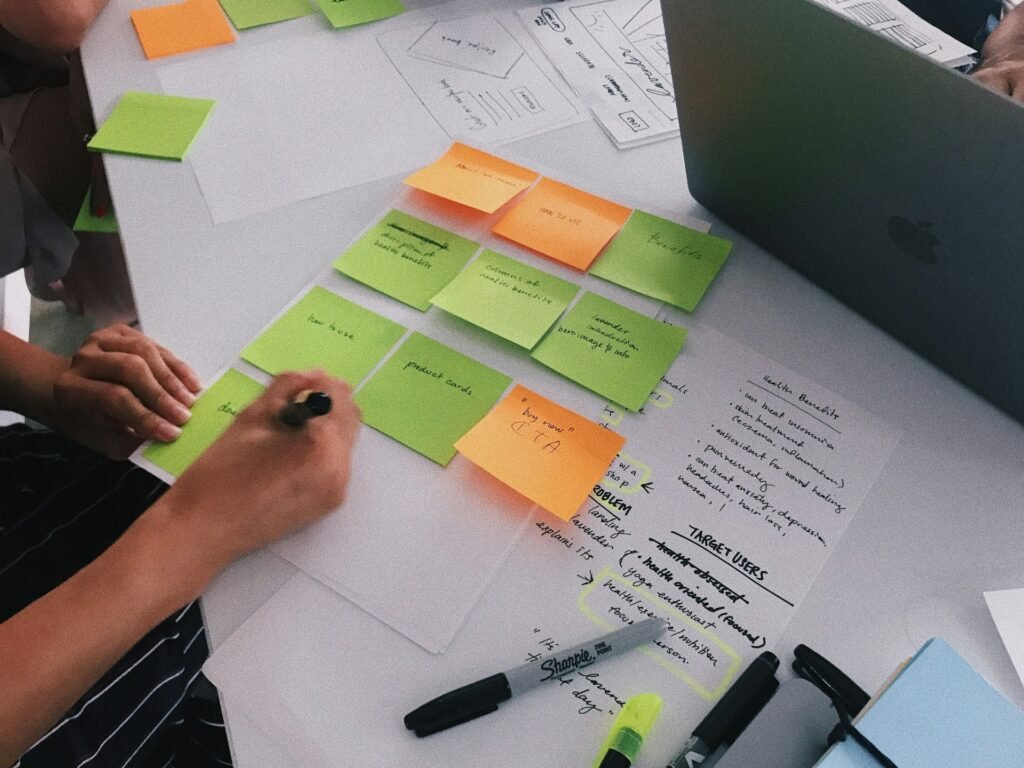
For running client projects, ClickUp is the most powerful, Asana the cleanest, Trello the simplest, and Notion the most flexible.
f you’re juggling several clients at once, our guide to the best freelancer management tools for multi-project workflows compares the options built for keeping multiple projects organized and visible at the same time.
If you’d rather manage the whole client relationship — proposals, contracts, and invoices included — the all-in-one platforms below do it in one place.
Project management
ClickUp
Freelancers juggling several complex client projects- Price: Free; Unlimited ~$7/user/mo
- Platform: Web, iOS, Android
- Why it stands out: The deepest multi-project features at the lowest price, with time tracking built in.
ClickUp is the most powerful project tool on this list, built around the idea of putting every client, project, and task in one place with an “Everything” view that shows it all at once. With 15+ ways to look at your work (lists, boards, Gantt, calendar, workload) plus native time tracking, it flexes to almost any workflow. It’s the standout for freelancers or tiny agencies juggling several complex client projects who want serious capability without an enterprise price tag.
Asana
Freelancers who want simple, clear project tracking- Price: Free; Starter ~$11/user/mo
- Platform: Web, iOS, Android
- Why it stands out: One of the gentlest learning curves for managing multiple ongoing projects.
Asana wins on clarity: tasks, subtasks, dependencies, and timelines are easy to follow, so you can run several projects at once without a fiddly setup. Freelancers reach for it when they want their work organized and visible without the learning curve that heavier tools demand. It’s the clean, calm choice for anyone who values a tidy, intuitive interface over maximum configurability.
Trello
Freelancers with a couple of clients and simple needs- Price: Free (10 boards); ~$5/user/mo
- Platform: Web, iOS, Android
- Why it stands out: The quickest way to get organized — just drag cards across the board.
Trello is the fastest way to get organized — you create a board, add “To do / Doing / Done” lists, and start dragging cards in under five minutes. Its visual simplicity makes it genuinely enjoyable for freelancers with a couple of clients and straightforward needs. Just know that as your client list grows, it can fragment across boards, so it’s best loved by people who want something simple and want it now.
Notion
Freelancers who want a custom all-in-one workspace- Price: Free (solo); Plus ~$12/mo
- Platform: Web, iOS, Android
- Why it stands out: Endlessly customizable dashboards for clients, projects, and notes.
Notion isn’t a rigid project tool so much as a flexible set of building blocks you assemble into exactly the workspace you want — client dashboards, project trackers, notes, and docs, all interconnected. That freedom is why freelancers adore it: you can run your whole business from one tailored hub. The trade-off is that you have to build the system yourself, which is a joy for tinkerers and a chore for people who just want something ready-made.
Sunsama
Freelancers who feel scattered across tools- Price: ~$20/mo
- Platform: Web, iOS, Android
- Why it stands out: Guided daily planning that curbs overcommitting and constant tool-switching.
Sunsama is a calm daily planner that pulls tasks from your other tools (Asana, Trello, email, calendar) into one realistic, time-boxed day and gently stops you from overcommitting. Instead of a scary, endless list, you plan a doable day and shut down when it’s done. It’s perfect for freelancers who feel scattered across too many apps and want a mindful, one-place ritual for deciding what actually gets done today.
All-in-one platforms
Bonsai
Freelancers who want their whole client workflow in one app- Price: ~$9–49/mo
- Platform: Web, iOS, Android
- Why it stands out: Replaces four or five separate tools with one professional client experience.
Bonsai bundles proposals, contracts, e-signatures, time tracking, and invoicing into one branded workspace, so the entire client journey — from pitch to signed contract to paid invoice — lives in a single, cohesive tool. Freelancers switch to it to replace four or five separate apps and to present a polished, professional front to clients. It’s the go-to for anyone who wants their whole freelance admin handled in one place with a consistent look.
Moxie
Solo freelancers managing the whole business- Price: ~$20/mo
- Platform: Web, iOS, Android
- Why it stands out: Its time tracker syncs straight into the invoice builder.
Moxie is an all-in-one business hub built specifically for freelancers, connecting projects, time tracking, contracts, and invoicing so nothing falls through the cracks. Its time tracker feeds straight into the invoice builder, which means the hours you work turn into the money you bill with no double entry. It suits solo freelancers who want a single command center for running the business, not just doing the work.
Plutio
Solos who want everything for one flat fee- Price: ~$19/mo flat
- Platform: Web, iOS, Android
- Why it stands out: No per-user pricing, and tracked time flows into invoices.
Plutio packs project management, proposals, invoicing, and a branded client portal into one tool at a flat monthly price with no per-user fees. Clients can log into your own-domain portal to check progress and pay, which makes a one-person operation look impressively buttoned-up. It’s a smart pick for solos who want an all-in-one that won’t get more expensive as they grow.
Contracts and e-signatures

Dropbox Sign
Getting contracts signed quickly- Price: Free tier; paid from ~$15/mo
- Platform: Web
- Why it stands out: Clean, no-friction signing that clients find easy.
Dropbox Sign (formerly HelloSign) makes getting a contract legally signed quick and painless for both you and the client. Clean, simple, and trusted, it removes the friction that can stall a project before it starts. Freelancers use it to look professional and protect themselves — with a signed agreement for every job — without the clunkiness that some e-signature tools impose on clients.
PandaDoc
Higher-volume proposals and contracts- Price: Free eSign; paid from ~$19/mo
- Platform: Web
- Why it stands out: Turns proposals, quotes, and contracts into one branded, trackable document.
PandaDoc goes a step further than plain e-signatures, turning proposals, quotes, and contracts into one branded, trackable document with templates and analytics that tell you when a client has opened it. For freelancers who send proposals regularly, that means less time rebuilding documents and more insight into where a deal stands. It’s the choice for higher-volume proposal-and-contract work where presentation and follow-up matter.
Staying productive: time, focus, and planning

For getting your own work done, these are the standouts that keep your tasks, time, and attention in order. The full playbook — tools plus the methods that make them work — is in our guide to productivity tools for freelancers, and the zero-cost versions are in the best free productivity tools.
Tasks
Todoist
Straightforward task management- Price: Free; Pro ~$5/mo
- Platform: Web, iOS, Android
- Why it stands out: Quick capture, natural-language dates, and reliable sync everywhere.
Todoist is a fast, no-nonsense to-do list that works everywhere and quietly becomes the backbone of a lot of freelance workflows. Quick capture, natural-language dates (“every Monday”), and reliable sync mean you can get a thought out of your head and into a trusted system in a second. It’s ideal for freelancers who just want one dependable place for every task, across every device.
TickTick
Tasks plus a calendar view- Price: Free; Premium ~$4/mo
- Platform: Web, iOS, Android
- Why it stands out: More generous free tier than most, with a calendar baked in.
TickTick does what Todoist does, but adds a built-in calendar view and a habit tracker, so your tasks, schedule, and routines live together. Its free tier is unusually generous, making it a favorite for freelancers who want a bit more than a plain list without paying. It’s a great fit if you like seeing your to-dos and your calendar side by side.
Time tracking
Toggl Track
Freelancers who bill by the hour- Price: Free (up to 5 users); Starter ~$9/user/mo
- Platform: Web, iOS, Android
- Why it stands out: Effortless tracking plus reports that show where your time really goes.
Toggl Track makes time tracking genuinely effortless — one click to start, clean reports to see where your hours actually go, and easy billable-rate tracking. Freelancers rely on it both to invoice accurately and to spot which clients or tasks quietly eat their week. Its free plan is strong enough for most solos, making it an easy first step toward getting honest about your time.
Clockify
Anyone who wants free time tracking- Price: Free; paid from ~$4/user/mo
- Platform: Web, iOS, Android
- Why it stands out: The most generous free tier of any time tracker, full stop.
Clockify’s headline is simple: genuinely unlimited time tracking for free, with no cap on projects, users, or reports. For any freelancer who wants to know where their time goes without paying a cent, it’s almost unbeatable, and it scales if you ever add collaborators. It’s the default recommendation whenever someone wants free, no-strings time tracking.
Planning and time blocking
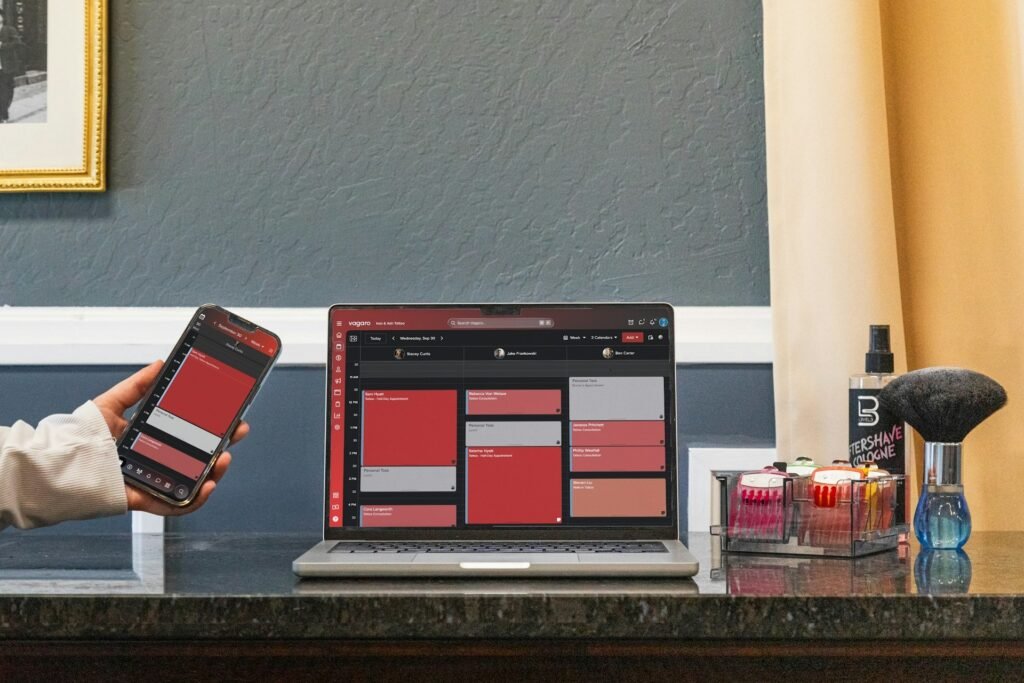
Akiflow
Turning a to-do list into a realistic day- Price: ~$19/mo (annual)
- Platform: Web, iOS, Android
- Why it stands out: Drag-and-drop time blocking that stops you from overcommitting.
Akiflow pulls your tasks and calendar into one place and lets you drag work onto specific time slots, turning a vague to-do list into a realistic, time-blocked plan. That physical act of scheduling a task makes you honest about how much you can actually do in a day. It’s for freelancers who chronically overcommit and want a tool that forces a reality check on their time.
Reclaim AI
Freelancers who want the calendar to plan itself- Price: Free; paid from ~$8/mo
- Platform: Web (Google/Outlook Calendar)
- Why it stands out: AI defends your focus time and reshuffles as your week changes.
Reclaim AI automatically finds the gaps in your calendar and schedules your tasks, habits, and breaks into them, then reshuffles everything as your week changes. Instead of manually protecting focus time, you let the AI defend it for you. It’s a brilliant fit for freelancers who want their calendar to essentially plan itself around their real priorities.
Notes

Obsidian
Freelancers who want to own their knowledge base- Price: Free for personal use; sync add-on ~$4/mo
- Platform: Web, desktop, mobile
- Why it stands out: Your notes live on your device, not on someone else’s server.
Obsidian is a private, local, markdown-based notes app where your knowledge lives on your own device rather than someone else’s server, and every note can link to every other. Freelancers who accumulate research, client briefs, and ideas love that it’s fast, offline, and truly theirs. It’s the pick for anyone who wants to build a lasting personal knowledge base they fully own and control.
Focus

Forest
Building a focus habit without feeling punished- Price: ~$4 one-time (free on Android)
- Platform: iOS, Android
- Why it stands out: Makes staying focused feel rewarding rather than restrictive.
Forest gamifies focus: you plant a virtual tree that grows while you stay off your phone and withers if you cave and start scrolling. It turns willpower into something playful and rewarding rather than a grim test of discipline. It’s perfect for freelancers who know their phone is the enemy of deep work and want a gentle, motivating nudge to leave it alone.
Freedom
Serious distraction-blocking during deep work- Price: Paid, ~$40/year
- Platform: Web, iOS, Android
- Why it stands out: Syncs blocks across every device so there’s no back door to Instagram.
Freedom blocks distracting websites and apps across all your devices at once, so there’s no sneaky back door to Instagram on your phone while your laptop is locked down. It’s the heavier-duty option for when you genuinely can’t trust yourself during deep work. Freelancers use it to carve out real focus blocks and reclaim the hours that quietly leak away to distraction.
Brain.fm
Freelancers who focus better with background audio- Price: ~$7–10/mo
- Platform: Web, iOS, Android
- Why it stands out: Music designed specifically to sustain attention, not just fill silence.
Brain.fm plays functional music that’s engineered — not just curated — to help you focus, relax, or sleep. Many freelancers find it easier to drop into deep work with the right audio in their ears than in silence or with normal music that pulls their attention. It’s for anyone who works better with a soundtrack and wants one designed specifically to sustain concentration.
Email management

Superhuman
Freelancers who live in their inbox- Price: ~$30/user/mo
- Platform: Web, iOS, Android
- Why it stands out: Blazing speed and shortcuts that make inbox-zero realistic.
Superhuman is the fastest email experience available, built around keyboard shortcuts and AI triage that let power-users blast through their inbox in a fraction of the usual time. For freelancers who effectively live in email and feel it’s swallowing their day, that speed can genuinely hand hours back. It’s a premium tool for people who’ve decided their inbox is worth optimizing properly.
SaneBox
Taming an overwhelming inbox without switching apps- Price: From ~$7/mo
- Platform: Works with Gmail, Outlook, any IMAP
- Why it stands out: Learns what matters and quietly moves the rest out of the way.
SaneBox sits on top of your existing Gmail or Outlook and quietly learns which emails matter, filtering the noise into separate folders so your main inbox only shows the important stuff. There’s nothing new to learn and no switching apps — it just makes your current inbox calmer. It’s ideal for freelancers who feel buried in email but don’t want to abandon the address and setup they already use.
Communicating and scheduling

Slack is the default for client and agency chat, Loom replaces half your meetings with quick screen-recorded walkthroughs, and Zoom or Google Meet covers live calls.
Calendly ends the back-and-forth of booking them by letting clients grab a slot straight from your calendar.
Slack
Freelancers working with teams or agencies- Price: Free; paid tiers
- Platform: Web, iOS, Android
- Why it stands out: Keeps each client’s conversations, files, and updates in one place.
Slack is the default hub for ongoing client and agency communication, letting you keep a dedicated channel for each client so conversations, files, and updates stay organized. For freelancers embedded with teams or juggling several clients, it beats a chaotic email thread every time. It’s the tool that makes you feel like part of a client’s team rather than an outsider firing messages into the void.
Loom
Async updates and feedback- Price: Free; paid tiers
- Platform: Web, iOS, Android
- Why it stands out: Replaces a surprising number of calls with a two-minute video.
Loom lets you record a quick screen-and-voice walkthrough and send it instead of scheduling yet another call. A two-minute video explaining feedback or a deliverable is often clearer than a wall of text and far faster than a meeting. Freelancers use it to cut down on calls, communicate asynchronously across time zones, and come across as clear and considerate — all while protecting their focus time.
Zoom
Live video calls- Price: Free (40-min group limit); paid
- Platform: Web, iOS, Android
- Why it stands out: Everyone already has it and knows how it works.
Zoom remains the familiar standard for live client calls, consultations, and presentations, precisely because everyone already has it and knows how it works. For a freelancer, that friction-free familiarity matters — no client ever struggles to join. Newer AI features like automatic summaries and transcription also save you from frantically scribbling notes during a call.
Calendly
Booking calls without the ping-pong- Price: Free; paid tiers
- Platform: Web, iOS, Android
- Why it stands out: Looks professional and saves hours of scheduling emails.
Calendly ends the tedious email ping-pong of finding a meeting time by letting clients book a slot straight from your calendar. It instantly makes you look more professional and hands back the time you’d otherwise waste coordinating. For any freelancer who books discovery calls or check-ins, it removes a small but constant source of friction each week.
SavvyCal
A friendlier alternative to Calendly- Price: ~$12/mo
- Platform: Web
- Why it stands out: Ranked availability and calendar overlays make booking feel collaborative.
SavvyCal is a scheduling tool clients genuinely seem to prefer because they can overlay their own calendar on yours to find a time quickly, with a friendlier, more collaborative feel than the standard grid. It also lets you rank your preferred times so meetings land when you want them. It’s the pick for freelancers who want scheduling to feel considerate rather than transactional.
Otter.ai
Never taking manual meeting notes again- Price: Free tier; paid from ~$10/mo
- Platform: Web, iOS, Android
- Why it stands out: Turns client calls into searchable notes and to-dos automatically.
Otter.ai records and transcribes your meetings in real time, then generates AI summaries and pulls out action items automatically. Instead of half-listening while scribbling notes, you can be fully present in a client call and trust that a searchable record and a to-do list will be waiting afterward. It’s a quiet superpower for freelancers who want to capture every commitment without the manual effort. A note here, however, is that you don’t want to be fully connected and available at all times. Pings and notifications will distract you and eat into your productivity or destroy your rest periods. A better approach is to keep essential communication channels accessible while limiting notifications and checking work-related apps during defined working hours. This helps you stay focused, protect your downtime, and maintain a healthy work-life balance.
Creating and writing

Canva makes professional visuals with no design skills, Figma is the standard for real interface and design work, and Grammarly polishes your client-facing writing.
For drafting, research, and brainstorming, the free tiers of ChatGPT and Claude have quietly become part of most freelancers’ daily workflow.
Canva
Quick, professional-looking visuals- Price: Free; Pro ~$15/mo
- Platform: Web, iOS, Android
- Why it stands out: Huge template library plus a Brand Kit to keep everything on-brand.
Canva lets anyone create professional-looking visuals — social posts, decks, thumbnails, simple branding — with drag-and-drop ease and a vast template library, no design degree required. For freelancers who need decent graphics but aren’t designers, it’s a genuine confidence-booster, and its Brand Kit keeps everything consistent. It’s the default for producing polished visuals fast without hiring anyone.
Figma
Designers doing real UI/UX work- Price: Free tier; paid tiers
- Platform: Web, desktop
- Why it stands out: Powerful, collaborative, and the industry default for design work.
Figma is the professional standard for real interface and product design, with powerful tools and live collaboration that let you and a client work in the same file at once. For freelance designers, it’s simply where the work happens; for others, it’s overkill. If design is a core part of your service, Figma is the industry-default tool clients will expect you to know.
Grammarly
Cleaner client-facing writing- Price: Free; paid tiers
- Platform: Web, browser, mobile
- Why it stands out: Catches the small mistakes that undercut a professional impression.
Grammarly gives your writing a second pair of eyes in real time, catching grammar slips and suggesting clearer, more professional phrasing before anything reaches a client. Since so much freelance credibility rides on how you come across in proposals and emails, that polish matters. It’s for any freelancer who wants to make sure a careless typo never undercuts an otherwise professional impression.
ChatGPT
Everyday drafting and ideation
- Price: Free; Plus ~$20/mo
- Platform: Web, iOS, Android
- Why it stands out: A genuinely useful thinking partner for a team of one.
Check it out →
ChatGPT has quietly become a daily thinking partner for a huge number of freelancers, useful for drafting emails, brainstorming, researching, summarizing, and getting unstuck. As a team of one, having something to bounce ideas off and speed up the grunt work is genuinely valuable. The free tier alone is enough to change how much you can get through in a day.
Claude
Longer-form writing and analysis- Price: Free; Pro ~$20/mo
- Platform: Web, iOS, Android
- Why it stands out: Thoughtful, high-quality output for drafting and reasoning tasks.
Claude is an AI assistant that’s especially strong at longer-form writing, nuanced analysis, and careful reasoning, making it a favorite for freelancers whose work involves a lot of thinking and drafting. It handles context-heavy tasks thoughtfully and produces high-quality output for things like content, strategy, and detailed correspondence. It’s the pick when you want an AI collaborator for the more substantial writing and reasoning work.
Descript
Freelancers making video or podcast content- Price: Free tier; paid from ~$16/mo
- Platform: Web, desktop
- Why it stands out: Editing media as easily as editing a doc, plus AI clean-up tools.
Descript lets you edit video and audio by editing the transcript — delete a word in the text, and it deletes that moment from the footage — plus AI tools that remove filler words and clean up audio. For freelancers making video content, podcasts, or client walkthroughs, it turns intimidating media editing into something as approachable as editing a document. It’s a game-changer for anyone who creates spoken content but isn’t a video editor. All have smartphone and tablet app versions, but again, it’s good to have boundaries with yourself and your work. If you’re sitting on a train to a meeting, it might feel productive to bounce social media post ideas around in Claude, but sometimes just sitting there and having a break can help you feel so much better and more focused, reducing the risk of burnout. Only use them if you really need to.
Automating and the glue

These are the tools that quietly hold the rest of your stack together — passing data between apps and providing the docs, storage, and security everything else sits on.
Zapier
Automating repetitive busywork- Price: Free; paid tiers
- Platform: Web
- Why it stands out: A genuine time-saver that makes a team of one feel like several.
Zapier connects your apps so they pass information to each other automatically, no coding required — a new client in one tool can trigger a task, an email, and a folder in others without you lifting a finger. For a team of one, that automated busywork removal is like hiring a tireless assistant. It’s for freelancers who catch themselves doing the same copy-paste routine over and over and want it to just happen.
Make
More advanced or budget-conscious automation- Price: Free; paid tiers
- Platform: Web
- Why it stands out: Visual drag-and-drop flows with more room to get intricate.
Make (formerly Integromat) does what Zapier does but with a visual, drag-and-drop canvas and often a lower price, giving you more room to build intricate, multi-step automations. It’s a bit more hands-on, which appeals to freelancers who want deeper control or more complex workflows without paying premium rates. Choose it when your automations get ambitious or your budget is tight.
Google Workspace
The everyday foundation- Price: Free (personal); Workspace paid
- Platform: Web, iOS, Android
- Why it stands out: Real-time collaboration and 15GB of storage, familiar to every client.
Google Workspace provides the docs, spreadsheets, storage, and email that nearly every freelance stack quietly sits on, with real-time collaboration and 15GB of free storage. Because clients everywhere already use Google Docs and Drive, sharing and co-editing is frictionless. It’s the dependable, familiar foundation that underpins almost everything else you do.
1Password
Keeping client and account logins secure- Price: ~$3/mo
- Platform: Web, all platforms
- Why it stands out: Security you’ll actually use — essential once you juggle dozens of logins.
1Password stores and autofills strong, unique passwords across every device and app, so juggling dozens of client and tool logins stops being a security risk or a memory test. Once you’re running a real freelance stack, weak or reused passwords are a genuine liability, and 1Password removes that worry entirely. It’s the unglamorous essential that protects your business — and your clients’ data — with almost no effort.
Prefer one app? The all-in-one freelance platforms
If managing a stack of apps sounds worse than the problem it solves, all-in-one platforms like Bonsai, Moxie, and Plutio bundle invoicing, contracts, projects, and time tracking into a single tool — trading best-in-class depth for one login and one bill.
For a lot of solo freelancers, that trade is worth it.
The tradeoff is real, though: no single part of an all-in-one is quite as good as the dedicated app that only does that one thing.
If invoicing or project management is the core of your business, a best-of-breed tool may serve you better. Our guide to freelance billing software weighs the all-in-ones against the specialists.
How many apps do freelancers actually need?
Most freelancers run a lean stack of five to eight apps — usually one for invoicing, one for banking, one for projects, one for time, one for notes, and a couple for communication and focus. More than that, and you start managing apps instead of clients.
The best stack is the smallest one that covers your real jobs.
A solid, mostly-free starter stack looks like this: Wave for invoicing, Found for banking and tax, Notion for projects and notes, Clockify for time, Slack for client chat, and Calendly for scheduling. That’s six apps, most of them free, and it runs a real freelance business.
Add to it only when a specific task genuinely needs a better tool — not because a list told you to.
The bottom line
Treat this list as a menu, not a to-do list. Pick the few standout apps that fit how you actually work, keep your stack lean, and go deeper through the specialist guides when you’re choosing within a category. The most productive freelancers aren’t the ones with the most apps — they’re the ones with the right handful.
Frequently Asked Questions
What apps do freelancers use?
Freelancers typically use apps across a few jobs: invoicing and accounting (FreshBooks, Wave), banking and tax (Found, Relay), project and task management (ClickUp, Notion, Trello), time tracking (Toggl Track, Clockify), communication (Slack, Loom, Calendly), and creative work (Canva, Grammarly). Most settle on a lean stack of five to eight.
What’s the best all-in-one app for freelancers?
Bonsai, Moxie, and Plutio are the leading all-in-one freelance apps, bundling invoicing, contracts, projects, and time tracking into one platform. They’re best if you’d rather manage one tool than several, though each individual feature is less deep than a dedicated best-of-breed app.
What’s the best free app for freelancers?
Several genuinely free apps stand out: Wave for invoicing, Clockify for time tracking, Notion for notes and projects, Found for banking, and Google Workspace for docs and storage. You can build a complete, working freelance stack without paying for anything.
What apps do I need to run a freelance business?
At a minimum, you need a way to invoice and get paid, a place to organize your work, and a way to communicate with clients — so an invoicing app, a project or task tool, and a communication app. Most freelancers add time tracking, banking, and a focus tool from there.
Which app is best for freelance invoicing?
FreshBooks is the best paid invoicing app, while Wave and Zoho Invoice are the best free ones, and Harvest is best for hourly billing. We compare them all in depth in our guide to freelance billing software.
How many apps does a freelancer really need?
Usually five to eight — one each for invoicing, banking, projects, time tracking, and notes, plus a couple for communication and focus. Beyond that, extra apps tend to add admin rather than value. Start lean and only add a tool when a real friction appears.
Related guides: productivity tools for freelancers · freelance billing software · best tools for multi-project workflows · cash flow management tools · best free productivity tools